Every week of a course has a shape, even if you never chose it. Some lecturers put everything on one long page. Others build the week around a session: what students do before, during and after it. A third approach uses a repeating set of named elements, as in PANDA. Each can work, and each has a cost. This post compares the three so that you can choose with your eyes open. It continues the PANDA series, so if the framework is new to you, start with the Introduction to the PANDA Framework.
Learning outcomes
By the end of this post you’ll be able to
- Compare a one-page week, Pre-In-Post and PANDA by their strengths and limits.
- Select a structure to suit a particular week and group of students.
- Design the move of one week from its current structure to a new one in Canvas.
Why the structure of a week matters
Students rarely get lost in a course because the content is hard to understand. They get lost because they cannot tell what to do first, what is optional and when it is due. The structure of a week answers those questions before you do.
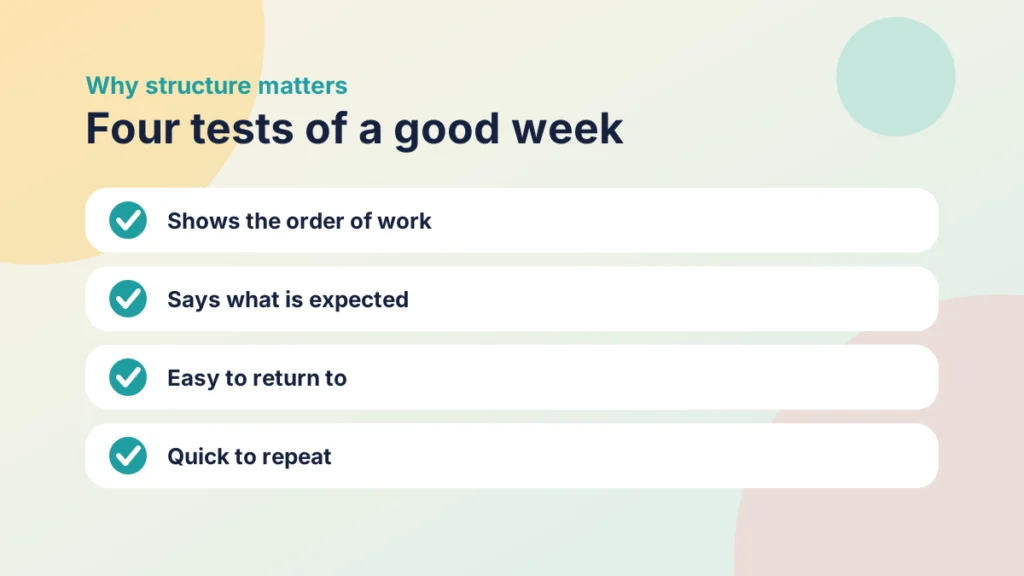
A good structure passes four tests. It shows the order of work. It says what is expected. It is easy to return to. And it is quick for you to repeat and maintain from week to week. Those tests are useful for everything that follows.
Structure is separate from content. You can put the same video, reading and quiz into any of the three structures below. What changes is how students meet them, and how much they have to work out for themselves.
I will use one example throughout: a week on feedback in a second-year module, with a short reading, a video, a discussion, a practice task and an assessed piece later in the term.
Option one: the one-page week
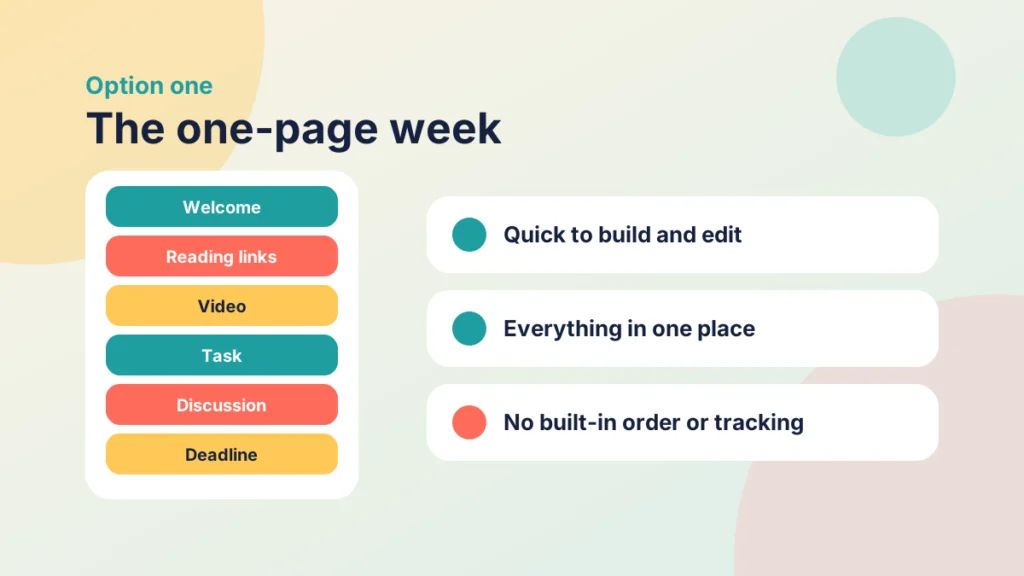
The one-page week puts everything on a single Canvas Page: a welcome, the reading links, an embedded video, the task, the discussion link and the deadline, usually under headings. It is the quickest structure to build, which is why it is so common, particularly in courses that began as a folder of files.
What it does well
- It is quick to build and quick to edit.
- Everything is in one place, so students do not have to hunt through several items.
- It works well for a short, simple week with one or two activities.
Where it struggles
A long page asks students to hold the plan in their heads. There is no built-in order, so students may jump to the part they think matters. Canvas cannot track progress through a single page, so it cannot ask students to finish one step before moving on. Long pages are also harder to scan with a screen reader and slower to update.
That said, the one-page week should not be dismissed. For a short week it can be exactly right, and a tidy single page is better than a sprawling module. A useful test is whether a student returning after an absence could find the starting point in under a minute.
If you have inherited pages like this, you do not need to rebuild them. Refreshing Old Canvas Pages Without Rebuilding Them: A Before-and-After Checklist shows how to improve a page in place, and Driving Canvas: Modules vs Pages explains when modules give students a clearer path.
Put it into practice
Your turn
Open one of your own one-page weeks. Count the separate things a student must do, and note any that are mentioned only in passing. If you count more than five, the page is probably doing too much.
Option two: Pre, In and Post
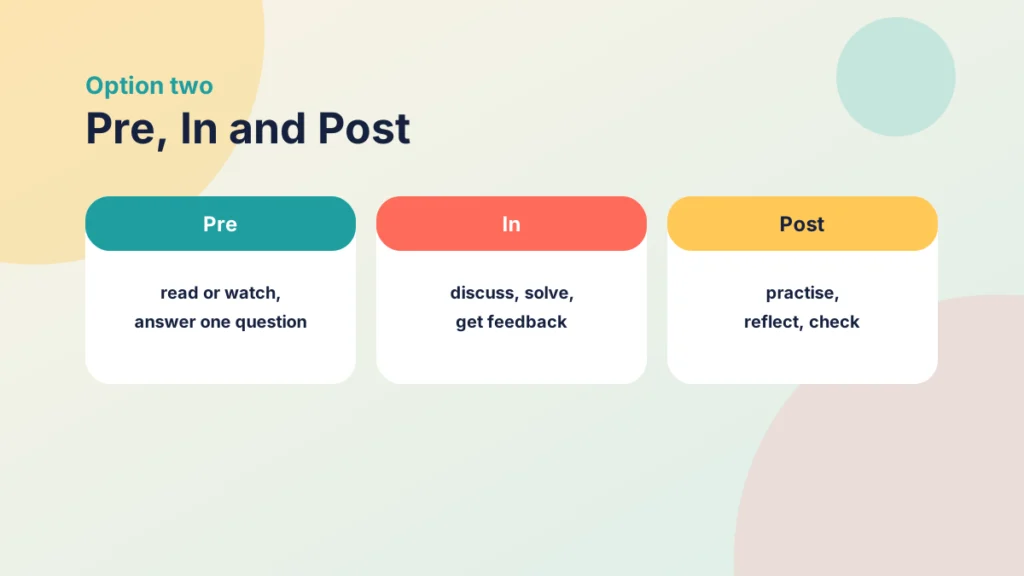
Pre, In and Post is a common way to describe a flipped or blended session: what students do before it, in it and after it. I am using it as a general pattern, not as the work of a particular author, and the details vary between courses.
The three phases
- Pre: students meet the new idea alone, usually through a short video or reading and a question.
- In: the live session is used for discussion, problem solving and feedback.
- Post: students practise, consolidate or reflect, and you check what has stuck.
In our feedback week, students would read a short article and answer one question beforehand, discuss examples in the session, then write a short reflection afterwards.
Strengths
It matches how a session is already planned, so it is easy to explain to colleagues and students. It gives the live session a clear purpose, and it makes you think about what happens between sessions. For ideas on what to do in the room, see Connecting PANDA with Gagné and Bloom’s Taxonomy.
Limits
It is built around a live session, so it fits less well for fully asynchronous weeks. It also says little about how a week opens: where students find out what is expected, how prior knowledge is surfaced, or how they show what they know. Those jobs tend to get squeezed into Pre or forgotten, and assessment often appears only in Post, as an afterthought.
Option three: PANDA
PANDA gives each week five named elements: Prepare, Activate, Navigate, Demonstrate and Articulate. The Introduction to the PANDA Framework sets out the whole framework. Here is the short version, using the same feedback week.
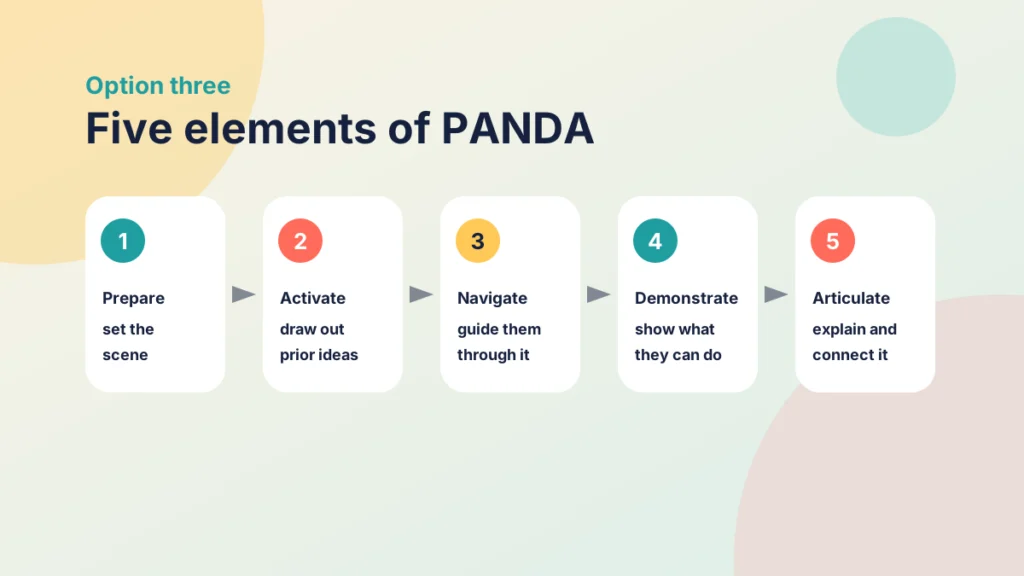
- Prepare: a short page that sets the scene, with outcomes, tasks and deadlines.
- Activate: a quick activity that draws out what students already know about feedback.
- Navigate: the reading and the video, with guidance through them.
- Demonstrate: a practice task where students show what they can do.
- Articulate: a reflection or discussion where they explain what they have learned and connect it to the outcomes.
Strengths
The names tell students what each part is for, and the same five repeat every week, so the structure becomes familiar. Because it does not depend on a live session, it suits online and blended weeks alike. It also gives assessment and reflection a clear home in every week, not just at the end. For the video in Navigate, see How to Use Video Effectively at Every Stage of an Online Course.
Limits
PANDA takes more set-up than a single page, and five elements can feel heavy for a very short week. Students may need the names explained at first. You can keep each element small, but you do need to plan all five.
Case study
Moving a feedback week from one page to PANDA
Illustrative example
The context
A lecturer teaches a second-year module at a UK university. Week 4 is about feedback, and everything for it sits on one long Canvas page.
The challenge
Students said they could not tell what to do first, and few reached the practice task at the bottom. The lecturer answered the same questions by email every week.
What they did
The lecturer kept the content and moved it into a module of five items: a short Prepare page, a quick poll for Activate, the reading and video for Navigate, a practice task for Demonstrate and a short discussion for Articulate. They added a view requirement to the first page and copied the module for the following weeks.
What happened
Students could see the order of work, more of them reached the practice task, and the weekly emails about what to do first became rarer.
What would you do?
- Which week in your course would benefit most from a clearer order?
- What would you keep on a single page, and why?
Try it yourself
Which structure is it?
Read each description and choose the structure it describes.
Comparing the three side by side
Here are the three structures against the four tests from earlier.
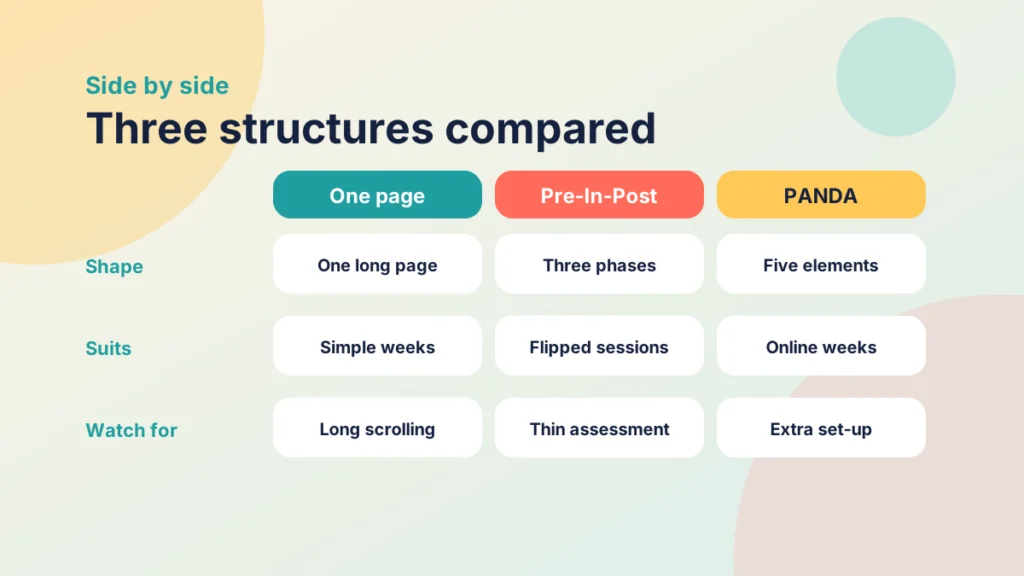
- Shows the order of work: the one page is weakest, because order depends on how you lay it out. Pre-In-Post orders by phase, and PANDA by element.
- Says what is expected: on one page it depends on how you write the opening. In Pre-In-Post it is usually in Pre. In PANDA it has its own element, Prepare.
- Easy to return to: a long page means a long scroll. Pre-In-Post and PANDA split the week into items in a module.
- Quick to repeat: one page is quickest. The other two take longer at first and then become a template.
These are my judgements from building and reviewing courses, not research findings, and your context may shift them.
Pre-In-Post and PANDA are not rivals. A rough mapping helps: Pre often covers Prepare, Activate and part of Navigate. In covers Navigate and Demonstrate when the session is live. Post covers Demonstrate and Articulate. That is my interpretation, not an official equivalence.
Put it into practice
Your turn
Take one week and write its plan three ways, in a line each: as one page, as Pre-In-Post and as PANDA. Which would your students find easiest to follow?
Try it yourself
Which structure suits this week?
Choose a kind of week and see a suggested starting point, why, what to watch for and how it could look in Canvas. These are suggestions from my experience, not rules.
Choosing, mixing and migrating
You do not have to pick one for ever. Three questions help. Is there a live session? How long and complex is the week? Do students need to show or reflect on their learning within the week?
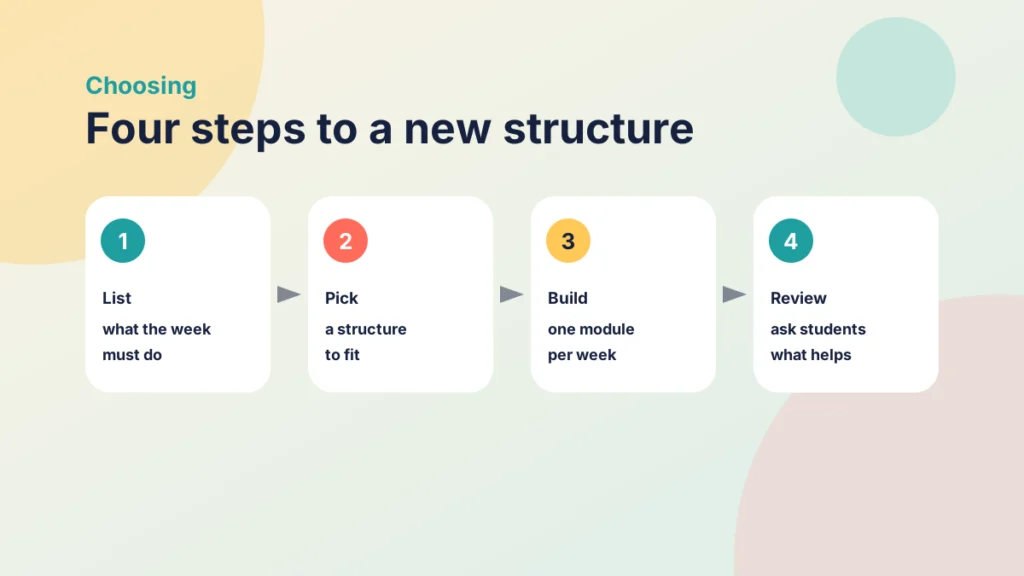
A short week with no assessment can stay on one page. A flipped session suits Pre-In-Post. A full online week suits PANDA. Many courses mix them, for example by opening the Pre phase with a Prepare page.
Mixing can be neat. A flipped session could keep Pre, In and Post as its outline and use the PANDA names inside it: Prepare and Activate in Pre, Navigate and Demonstrate in the session, and Articulate in Post. Students then get the rhythm of the session and the clarity of the named elements.
To migrate, change one week first. Keep the content, and move it into a module with an item for each phase or element.
Put it into practice
Try it in Canvas
- Select Modules in Course Navigation and add a module named for the week, for example “Week 4: Feedback”.
- Add a short overview page first, named for its role, such as “Prepare: Week 4”.
- Add each part of the old page as its own Page, Assignment, Quiz or Discussion, in order, using the + beside the module name.
- Select Edit on the module and use Add Requirement where students must finish a step, such as viewing the overview.
- Publish the module, then use Student View to read the week from top to bottom.
Then ask students what helped. Two questions, such as “What was clear?” and “What was hard to find?”, are enough to guide the next week.
Try it yourself
What would you do?
Three situations from a course. Choose the best response to each, then read the feedback.
Check your understanding
Knowledge check
Why can Canvas not ask students to finish one step before the next on a one-page week?
Requirements work on module items, and a single page is one item, so there are no steps to require.
What does Pre-In-Post say little about?
How a week opens, how prior knowledge is surfaced and how students show learning, so those jobs can be squeezed or forgotten.
Which structure would you suggest for a fully online week with no live session, and why?
PANDA, because it does not depend on a session and gives opening, activation, assessment and reflection a place.
Which four tests can you use to judge a structure?
It shows the order of work, says what is expected, is easy to return to and is quick to repeat.
Remember
Key takeaways
- The structure of a week decides how much students must work out for themselves.
- A one-page week is quick to build but has no built-in order or tracking.
- Pre-In-Post suits flipped and blended sessions but says little about opening and assessment.
- PANDA gives every week five named elements, at the cost of more set-up.
- Change one week first, keep the content, and ask students what helped.
Your next step
This week, choose one week of your course and write its plan in the structure you think suits it best. If it is a one-page week, try moving it into a module. Afterwards, ask two students to say what they would do first.
Reflect: which part of your own week would a student find hardest to place, and which structure would make it clearer?