PANDA gives each week of an online course a repeatable shape. Two older and widely used models can sharpen that shape: Robert Gagné’s nine events of instruction, which describe the conditions that support learning within a lesson, and Bloom’s taxonomy, which helps you describe the level of thinking you expect from students. This post shows how to connect all three when you build a course site in Canvas, so that your structure, your outcomes and your tasks pull in the same direction.
Why connect PANDA to established models
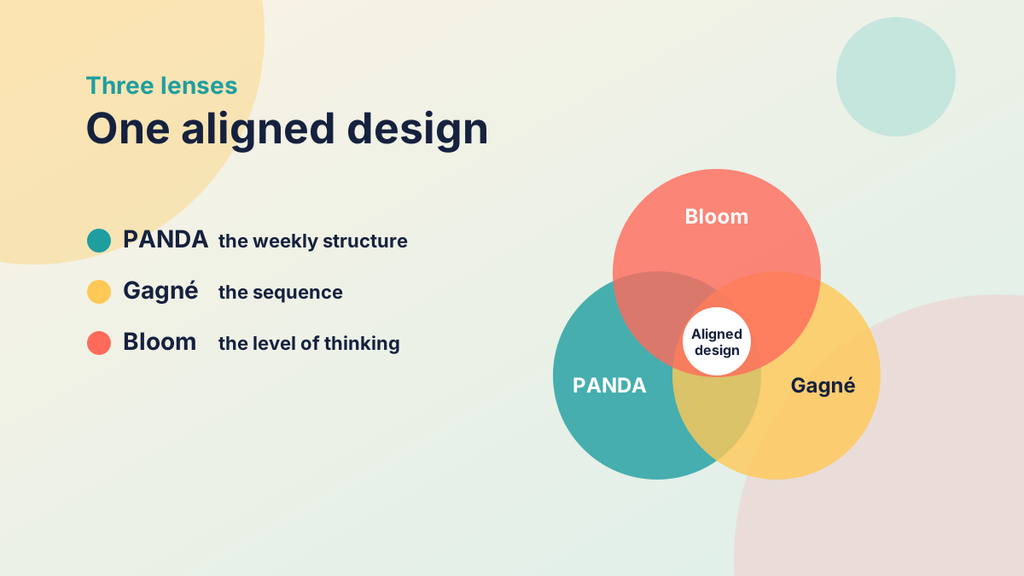
PANDA is deliberately practical. Its five elements (Prepare, Activate, Navigate, Demonstrate and Articulate) tell you what to put in each week and in what order. What it does not do on its own is explain why that order works, or help you judge whether a given task asks for the right kind of thinking. Gagné and Bloom fill those gaps from different directions. Gagné looks at the sequence of a learning experience, and Bloom looks at the nature of the learning you are aiming for.
Connecting them has three practical benefits. First, it gives you a shared language when you discuss course design with colleagues, because most academics have met at least one of the two models. Second, it gives you a way to check a draft week: if you can see where each of Gagné’s events appears, and if your tasks match the verbs in your outcomes, the design is probably sound. Third, it makes the reasoning visible to students and reviewers, which can help when a programme is being validated or evaluated.
The aim is not to add more work. Used well, these models act as checks on a design you were going to build anyway.
A quick look at the two models
Gagné’s nine events of instruction
Gagné described nine events that support learning, grounded in ideas about how people take in, process and retain information. In order, they are:
- Gain attention.
- Inform learners of the objectives.
- Stimulate recall of prior learning.
- Present the content.
- Provide learning guidance.
- Elicit performance, so that learners practise.
- Provide feedback.
- Assess performance.
- Enhance retention and transfer.
The events are not a script to follow rigidly. They describe what a well-supported learning experience usually includes, and a single session may revisit some of them more than once.
Bloom’s taxonomy
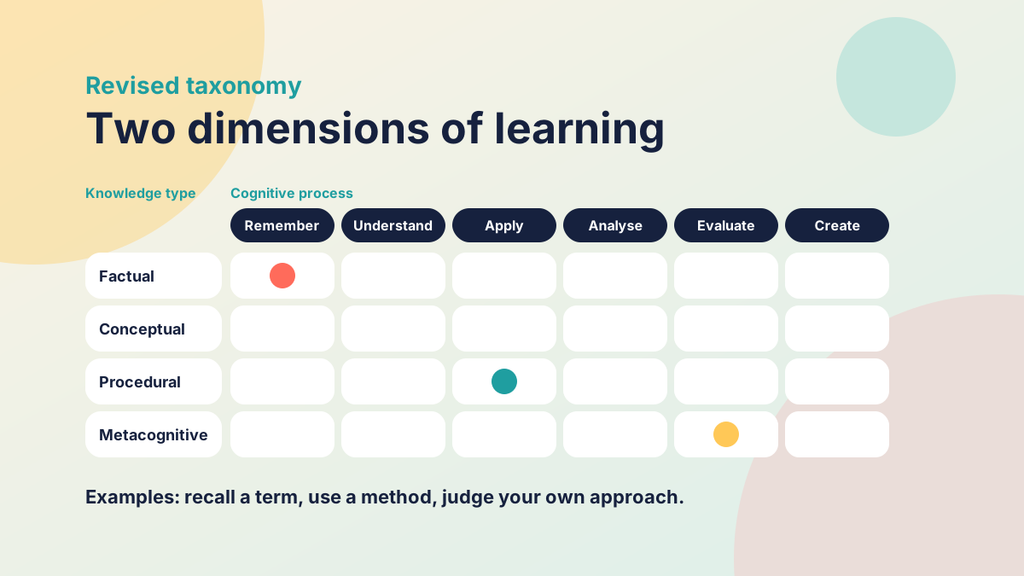
Bloom’s taxonomy began in 1956 as a way of classifying educational objectives. The original categories were knowledge, comprehension, application, analysis, synthesis and evaluation. A revision by Anderson, Krathwohl and colleagues in 2001 turned the categories into verbs and reordered the top of the list: remember, understand, apply, analyse, evaluate and create. The revision also added a second dimension that separates the type of knowledge involved, namely factual, conceptual, procedural and metacognitive.
Two cautions are worth keeping in mind. The levels are often drawn as a staircase, but they overlap, and real tasks frequently combine several of them. The verb in an outcome also does not settle the level on its own. “Explain” can mean recalling a textbook definition or building an original argument, depending on the task around it.
Try it yourself
Which Bloom level does the verb signal?
Choose the level of the revised taxonomy that each verb most often signals. A few verbs depend on the task around them, and those will say so.
Mapping PANDA to Gagné’s nine events
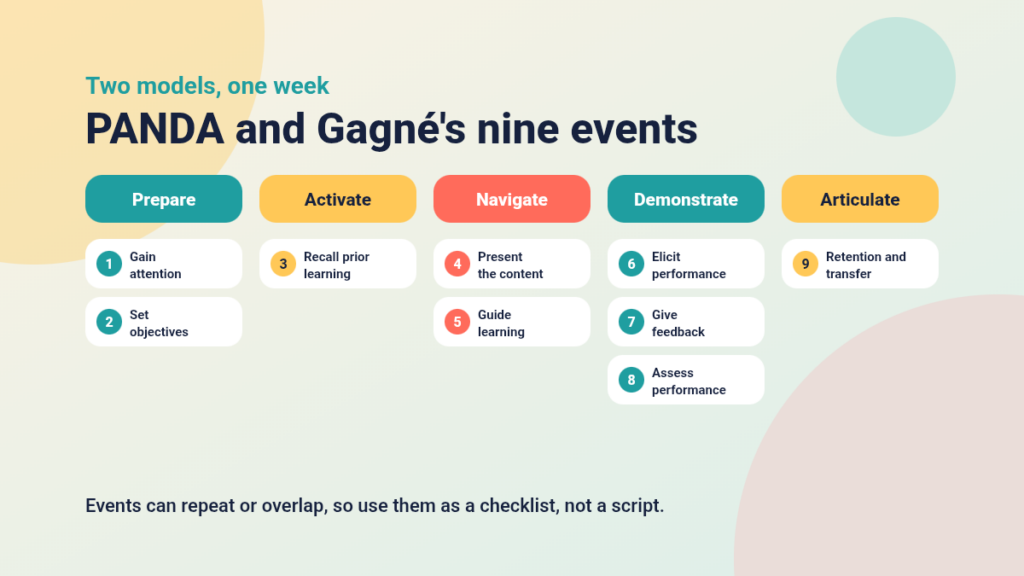
The two frameworks fit together more closely than you might expect. PANDA groups into five elements what Gagné spreads across nine events, and the mapping below is one reasonable reading rather than an official equivalence.
Prepare: gain attention and share objectives
The opening of a Prepare page naturally covers the first two events. A short, concrete hook (a question, a scenario or a surprising problem) gains attention, and the learning outcomes tell students what they will be able to do by the end of the week. Because the page is brief, it works best when the hook is one or two sentences and not a long introduction.
Activate: stimulate recall of prior learning
Activate is the closest match in the whole mapping. Gagné’s third event asks you to bring relevant earlier learning to mind, and Activate does exactly that through an open question, a prediction or a confidence rating. It also gives you an early view of gaps and misconceptions.
Navigate: present the content and guide learning
Navigate carries events four and five. Presenting the content means choosing formats that suit each idea, and guidance means signposting, ordering and worked examples that help students make sense of the material. A signposted route with a worked example before a practice task covers both events at once.
Demonstrate: elicit performance, give feedback and assess
Demonstrate spans three events. Eliciting performance means students practise or produce something, feedback tells them how they are doing, and assessment judges whether the outcomes have been met. In a low-stakes quiz these happen almost together. In a larger assignment they are separated in time, and feedback may arrive through a rubric and comments.
Articulate: enhance retention and transfer
The final event asks how learning will last and be used elsewhere. Articulate supports it by asking students to reflect, connect the week to what they knew before and consider where they might apply it next. A prompt such as “Where could you use this in your own research or practice?” invites transfer directly.
Notice that PANDA does not replace any of Gagné’s events. It packages them in a form that students can recognise week after week.
Try it yourself
Follow the link between the models
Select one of Gagné’s nine events to see which PANDA element holds it, or select a PANDA element to see its events and the Bloom levels it often calls on. This is one reasonable reading, not an official equivalence.
Gagné’s nine events
PANDA elements
Choose an event or an element
The connections will light up here.
Bringing Bloom’s taxonomy into PANDA
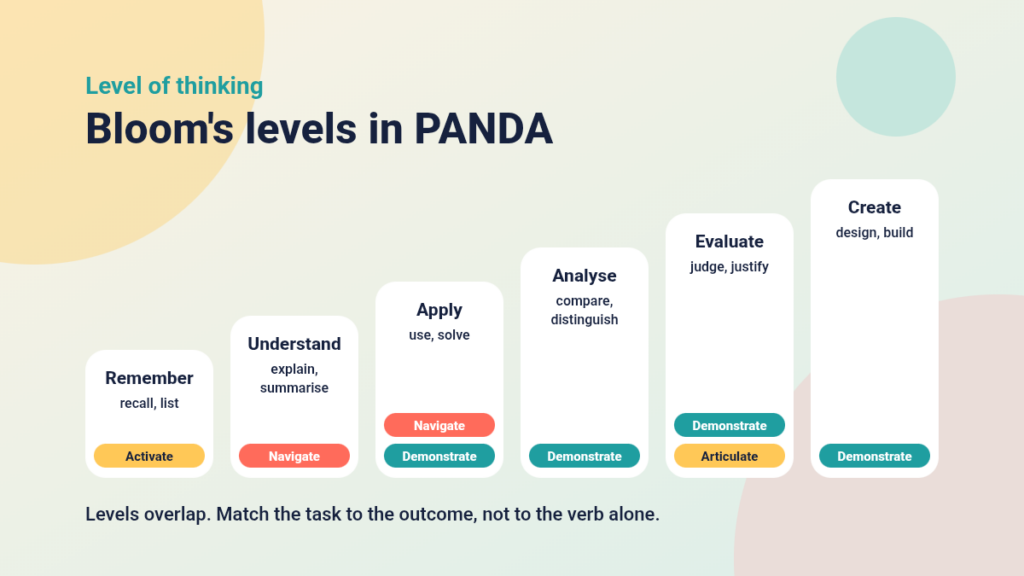
Where Gagné helps with sequence, Bloom helps with level. The diagram below shows the revised levels with typical verbs and the PANDA elements where each level most often appears.
Write outcomes with Bloom’s verbs in Prepare
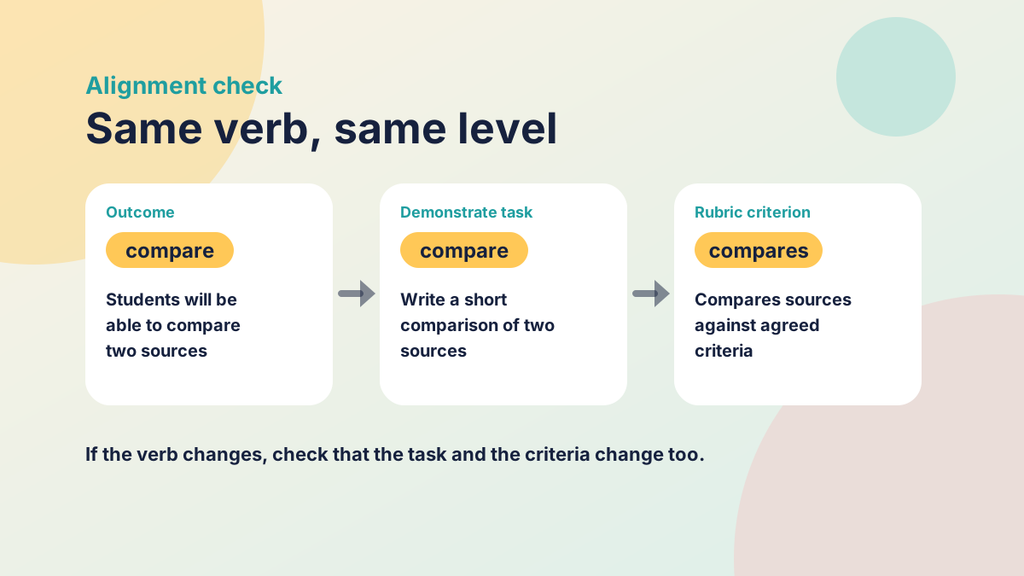
Start with the outcomes you will publish in Prepare. Choose verbs that describe observable actions, such as compare, justify or design, and avoid vague ones such as understand or appreciate. The verbs set the level of thinking you expect, and they tell students what kind of evidence you will ask for. Aim for a small number of outcomes per week, and mix levels sensibly. A week that asks students only to remember will feel thin, while a week that asks only for creation may leave gaps in the foundations.
Use remembering and understanding in Activate and Navigate
Activate usually draws on the lower levels, because it asks students to retrieve what they already know. Navigate then builds understanding through explanation and examples, and may include early practice at applying an idea. These levels are not lesser. They provide the foundation that higher-level work depends on, and students who cannot recall key terms often struggle when asked to analyse or evaluate.
Match Demonstrate to the outcome
This is where Bloom is most useful. If an outcome asks students to apply a method, the Demonstrate task should require them to use it on a new case. If it asks them to evaluate, the task should require a judgement supported by criteria. A recall quiz cannot provide evidence of evaluation, however well written. Checking each outcome against its task, one pair at a time, is a quick and revealing exercise.
Try it yourself
Does the task match the outcome?
Slide to set the level of an outcome, then choose a Demonstrate task. The gauge shows whether the task can give evidence at that level. It is a simplified check, because real tasks often overlap levels.
1. Set the outcome level
2. Choose a Demonstrate task
Use Articulate for evaluation and metacognition
Reflection invites students to evaluate their own learning: what has changed, what remains unclear and what they will do next. This links to the metacognitive knowledge dimension in the revised taxonomy. Specific prompts work best, such as asking which outcome a student feels least sure about and what evidence supports that view.
Building the site in Canvas
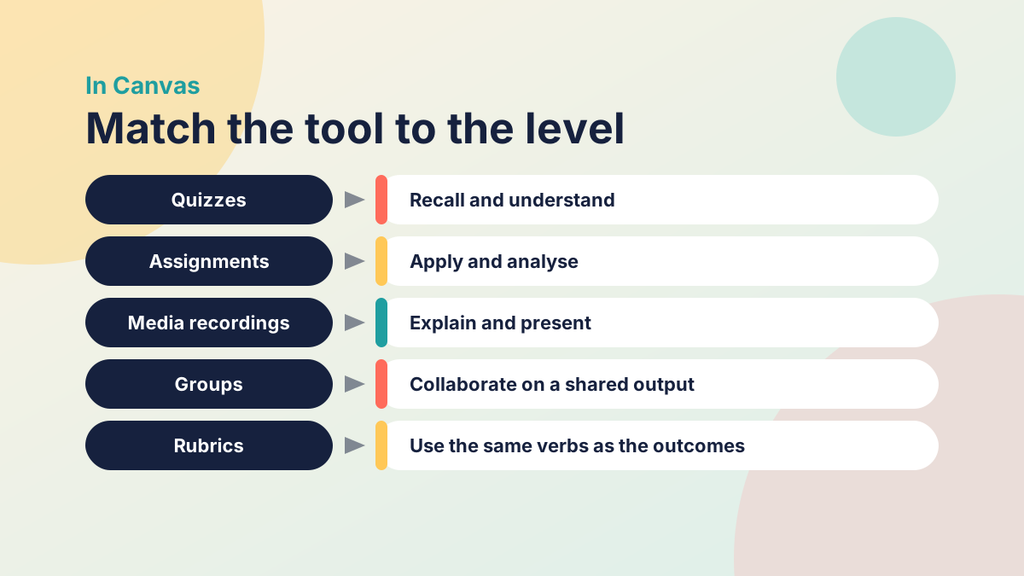
Canvas needs no special tools for any of this. The work is in how you organise standard features.
- Use one module per week and place the five PANDA elements in the same order each time. Consistent names such as "Prepare: Week 3" and "Demonstrate: Week 3" let students find each element at once.
- Build Prepare and Navigate as Pages. Pages let you combine headings, lists, media and links, and they suit the first, second, fourth and fifth of Gagné's events.
- Use Discussions or ungraded quizzes for Activate. A discussion can require students to post before they see replies, which encourages them to draw on their own knowledge first.
- Match tools to outcomes in Demonstrate. Quizzes suit recall and understanding, Assignments suit application and analysis, media recordings suit explanation and presentation, and Groups suit collaborative tasks.
- Attach rubrics to Assignments, and phrase the criteria with the same verbs you used in the outcomes. This keeps the level of the task and the level of the marking aligned.
- Consider the Outcomes tool if your institution has enabled it, so that you can report progress against intended outcomes and not only marks.
- Duplicate a finished week where Canvas allows it, and replace the content, so that every new week starts from a tested structure.
Before you publish, switch to Student View and work through the week as a student would.
A worked example
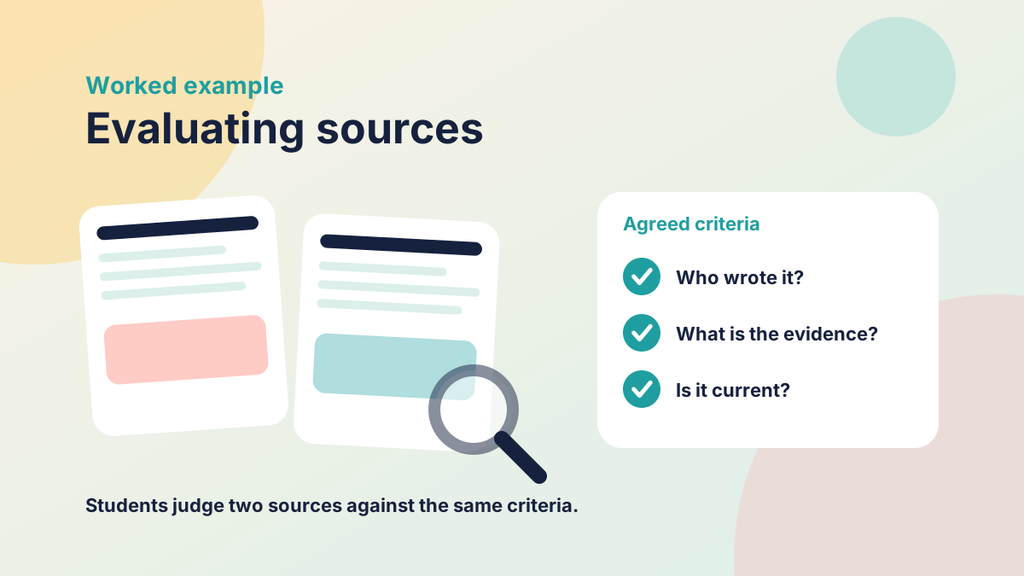
Imagine a week on evaluating sources in a research skills course. The main outcome is that students will be able to evaluate the credibility of a source using agreed criteria. In Bloom's terms this is an evaluate-level outcome, supported by remember and understand outcomes about the criteria themselves.
Prepare opens with a short scenario: two articles make competing claims about the same topic. It states the outcome, lists the tasks with approximate times and links to the assessment criteria. This covers Gagné's events one and two.
Activate asks, in a discussion where students post before seeing replies, "How do you decide which sources to trust, and why?" The responses reveal what students already do and where misconceptions lie. This is event three, at the remember and understand levels.
Navigate offers four ordered steps: a one-page guide to the criteria, a short video that works through one source, a worked example comparing two sources, and a practice task with automatic feedback. Each step is labelled with its purpose. These steps cover events four and five, and they build understanding and early application.
Demonstrate is an assignment in which students evaluate two sources against the criteria and justify a judgement. A rubric uses the same verbs as the outcome, and feedback is given through the rubric and brief comments. This covers events six, seven and eight, at the apply, analyse and evaluate levels.
Articulate asks students how their approach to choosing sources has changed since Activate, which criterion they find hardest to apply and where they will use the skill in their own work next. This is event nine, with a metacognitive emphasis.
Laid out like this, the week shows its reasoning. Anyone reading it can see why each element is there and what level of thinking each one asks for.
Pitfalls to avoid
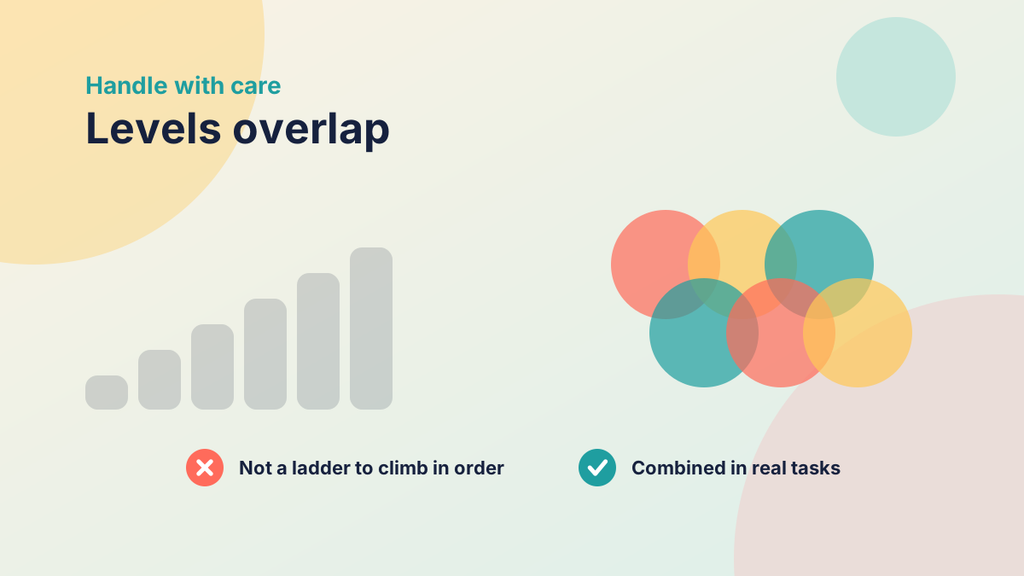
- Treating Bloom's as a strict ladder. Students do not have to master every lower level before they attempt a higher one, and good tasks often combine levels.
- Relying on verbs alone. A task labelled "analyse" that asks students to repeat a lecture is not an analysis task. Check the task, not just the word.
- Mapping for its own sake. If labelling each activity with an event or a level takes longer than building it, scale back. Use the models as a final check.
- Mismatching outcomes and assessment. This is the most common problem, and it is the one Bloom's taxonomy catches best.
A checklist for your own course site
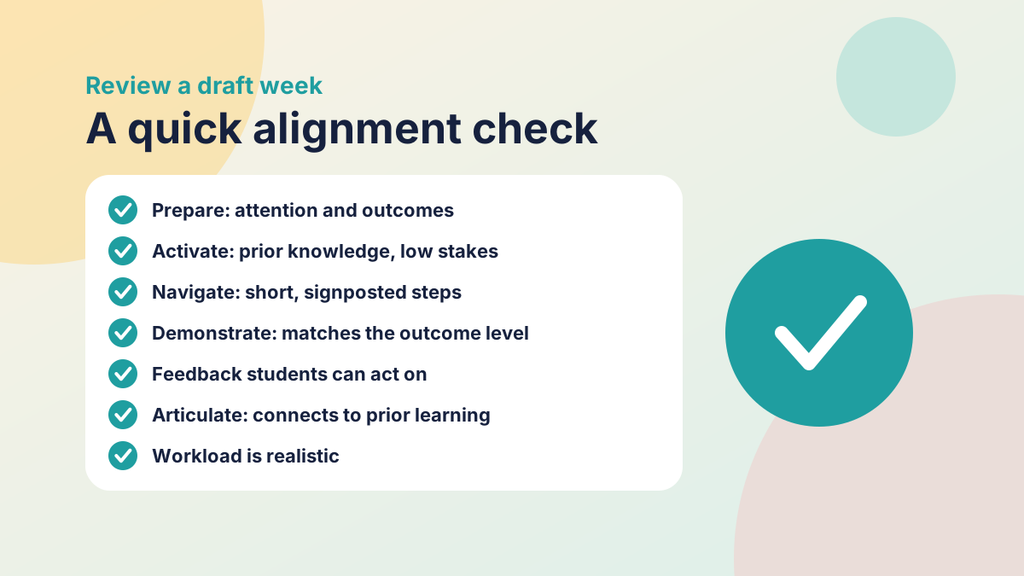
When you review a draft week, ask yourself:
- Does Prepare grab attention and state the outcomes in plain language?
- Does Activate draw on what students already know, at low stakes?
- Does Navigate present the content in short, signposted, ordered steps?
- Does each outcome have a Demonstrate task at the same level of thinking?
- Will students receive feedback they can act on?
- Does Articulate ask students to connect the week to prior learning and to future use?
- Is the total workload realistic for the time available?
If you can answer yes to each, the week is well aligned with PANDA, Gagné and Bloom at once.
Getting started
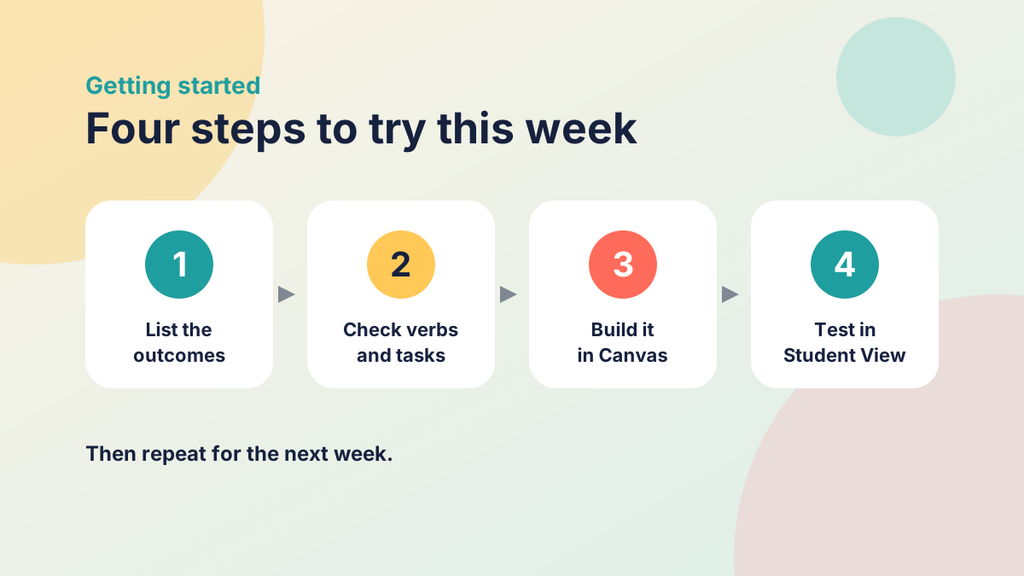
Choose one week of an existing course. List its outcomes and underline the verbs. Then check that each verb has a matching Demonstrate task, and that your five PANDA elements cover the nine events between them. Fix the largest mismatch first, build the improved week in Canvas, test it in Student View and ask a colleague to review it. Once it works, keep it as your template and repeat the process for other weeks, adjusting as you learn what your students need.