Many online courses are designed by one person, late in the evening, with a deadline in the morning. Carpe Diem is Gilly Salmon’s answer to that. It is a team-based way of designing learning, so that ideas are tested and shaped before students see them. This post explains the six steps and shows how you can borrow them when you build a module in Canvas.
Learning outcomes
By the end of this post you’ll be able to
- Describe the six steps of the Carpe Diem learning design process.
- Apply the blueprint and storyboard steps to plan one module.
- Evaluate a draft Canvas module using the reality check step.
What Carpe Diem is
Carpe Diem is Latin for “seize the day”, and the name reflects the aim. Every part of the process should produce something that you can use with learners straight away. Salmon presents it as a way of creating learning design that is fast, effective and forward-looking.
It works in teams, which Salmon calls pods. A pod might include the lecturer, a learning technologist, a colleague from another module and someone who knows the students. The point of a team is not politeness. Different people notice different problems, and a design that survives a conversation is usually stronger than one that has only been read by its author.
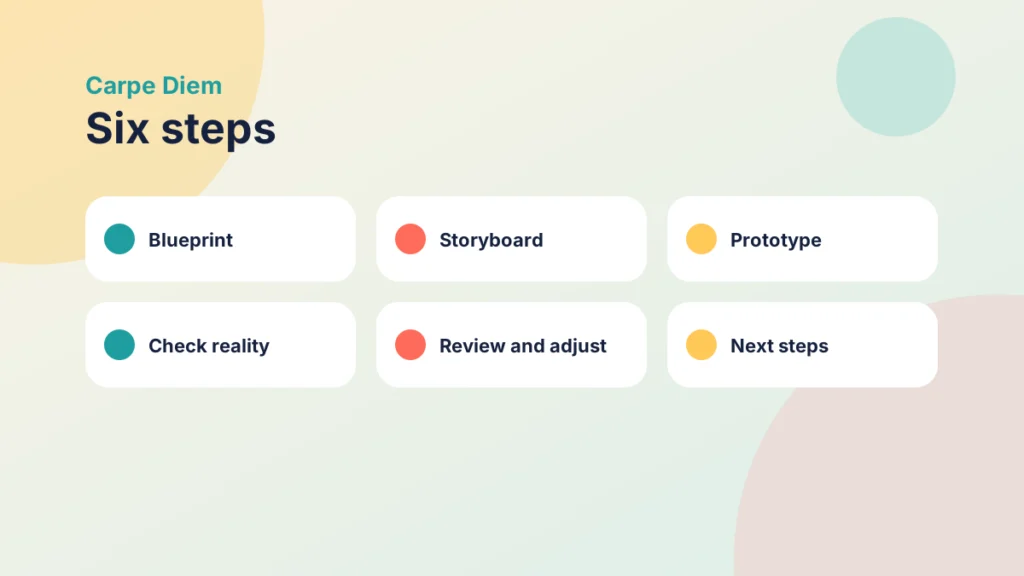
For modules, the process has six steps.
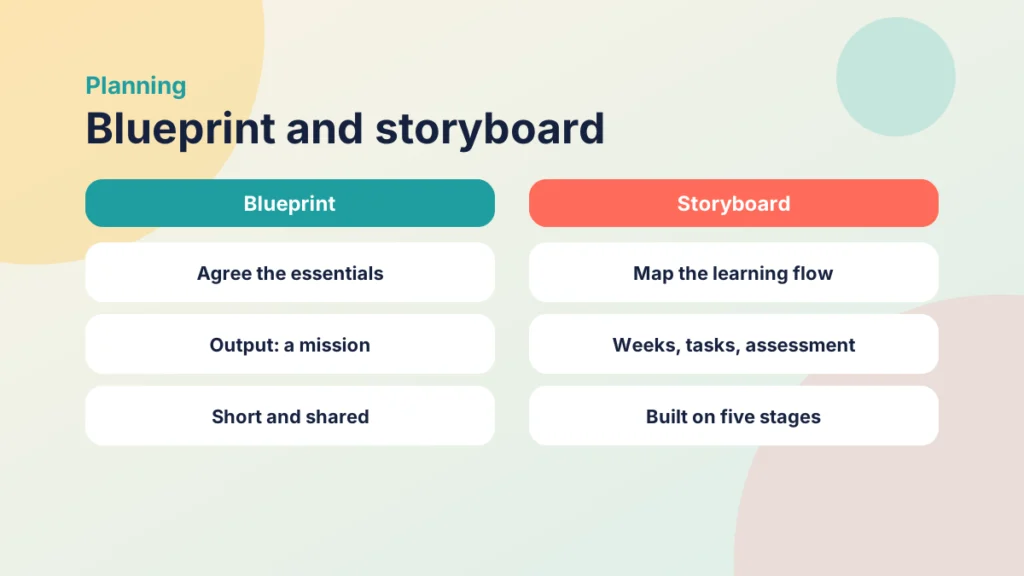
- Blueprint: the team sets out the essentials of what it wants to achieve and agrees a mission statement.
- Storyboard: the team maps the learning, teaching and assessment visually, including the schedule and flow.
- Prototype: the team builds the design in the online environment and creates activities that can be tested.
- Check reality: colleagues test the design and give feedback.
- Review and adjust: the team previews the work, refines timings and agrees who will do what next.
- Next steps: the team builds an action plan together.
The storyboard step uses Salmon’s own five stage model as a scaffold, which is why the two ideas sit well together. I explain the model in a separate post on Gilly Salmon’s five stage model. If you want a course structure to hold the result, the Introduction to the PANDA Framework is a good partner, because Carpe Diem tells you how to design as a team and PANDA tells you how to organise what you build.
Carpe Diem is therefore as much about conversation as about documents. The documents are useful, but the real work is the agreement that happens while they are produced. A team that has argued over a mission statement tends to build a more coherent module than one that has simply divided up the tasks.
Blueprint and storyboard
The blueprint is the shortest step and the one most often skipped. The team agrees the essentials of what it wants to achieve and writes them as a mission statement. This sounds formal, but it can be two or three sentences. What matters is that everyone has agreed on them.
A useful mission statement answers three questions. Who is this module for? What should they be able to do by the end? What will make this module different from reading a textbook? If the team cannot answer the third question, the module may be heading towards a repository of documents.
It helps to write the mission in the present tense and in plain words, as though you were explaining the module to a student on the first day. If a sentence needs a specialist term to make sense, it is probably describing the course rather than the learning.
The storyboard then turns the mission into a visual plan. The team maps the learning, teaching and assessment, including the schedule and the flow from one activity to the next. A big sheet of paper or a shared board works well. Each week gets a box, and each box shows what students will do, what you will do and what they will produce.
Because the storyboard is built on the five stages, it makes you ask whether early weeks are about access and socialisation, and whether later weeks ask for debate and reflection. This is also where learning objectives belong, and Connecting PANDA with Gagné and Bloom’s Taxonomy shows how to match objectives, events and structure.
Put it into practice
Your turn
Write a mission statement of no more than three sentences for one module you teach. Then sketch the weeks as boxes on a single sheet and mark where students first talk to each other.
Prototype and check reality
Once the storyboard is agreed, the team builds the design in the online environment and creates activities that can be tested. In Canvas, that means real modules, pages and discussions, rather than a plan that lives in a document. The aim is a prototype, not a finished course. It should be good enough for someone to try, and rough enough that nobody minds changing it.
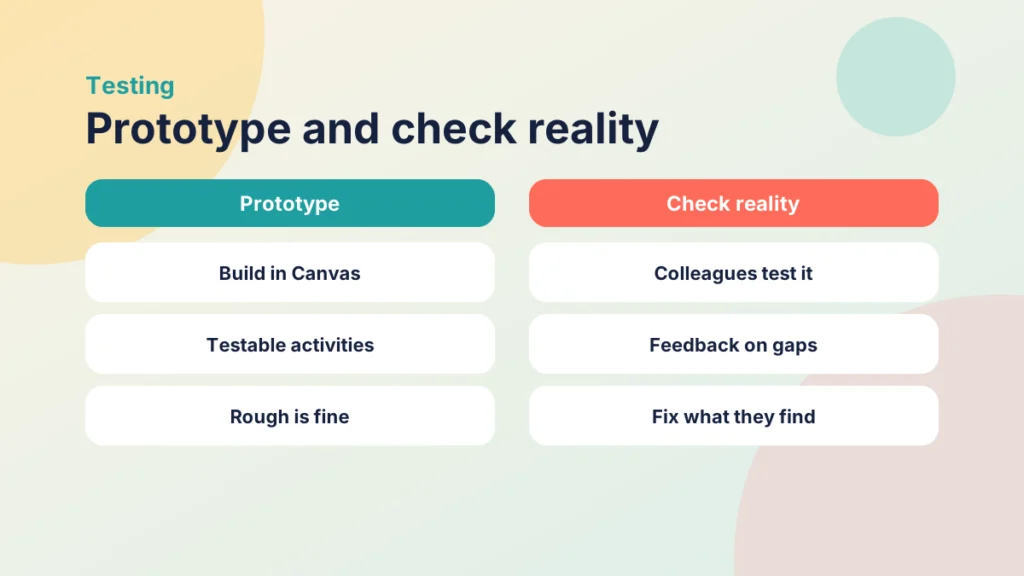
Then comes the step I value most: check reality. Colleagues try the design as reality checkers and give feedback. They are not marking it. They are showing you where a student would get stuck, which task is unclear and which instruction is missing.
Put it into practice
Try it in Canvas
- Select Modules in Course Navigation and build one module for each week on your storyboard.
- Add the pages, discussions and assignments for the first two weeks only, and leave the rest as headings.
- Use Settings and then Student View to walk through the course as a student would.
- Invite one or two colleagues to look at the module with you and note where they hesitate.
- Change the unclear instructions, then ask them to try the same route again.
It is worth building in at least one pass where the checker works without your help. If you sit beside them and explain, you are the missing instruction. Quiet observation is hard, but it is the nearest you can get to watching a student meet the module for the first time.
Be prepared for the feedback to be uncomfortable. People who know the subject well find it hard to see what a newcomer cannot, so a colleague from another discipline is often the best checker. They have no shortcuts to fall back on, and they will tell you when something does not make sense.
Whoever you ask, ask them to think aloud as they work. The hesitations tell you more than the opinions. Where someone stops and asks “what does this mean?”, a student would stop too.
If your pages are hard to read, Tips and Tricks for Better Canvas Wiki Page Design has practical ideas for improving them before the check, and Driving Canvas: Modules vs Pages explains how to decide between a module item and a page.
Review, adjust and next steps
After the reality check, the team previews the work, refines timings and agrees who will do what next. Timings are worth a particular mention. Teams are nearly always too optimistic about how long an activity takes, and a prototype tested by a colleague shows quickly that a thirty-minute task takes an hour.
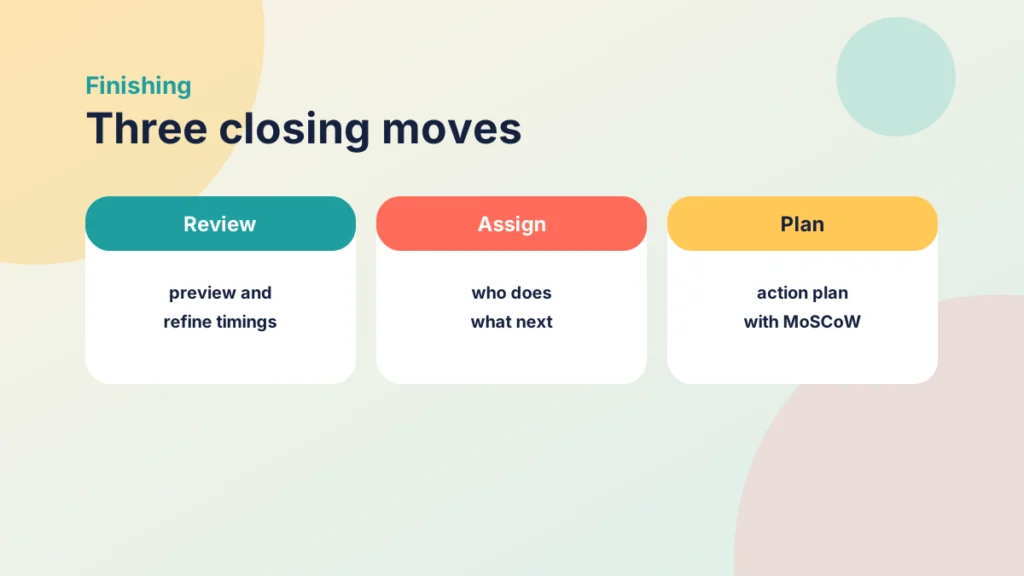
The last step is an action plan. Salmon’s process builds this together using the MoSCoW method, a way of sorting work into what the team must do, should do, could do and will not do this time. It prevents a long wish list from swallowing the one thing that matters most.
It also helps to be honest about capacity. If the action plan shows that the team can do half of the list before the module starts, then half is what will be done. Choose the half that matters most to learners, and leave the rest for the next iteration.
The effect of this is easy to underestimate. A shared plan with names and dates is much more likely to be finished than a general intention to improve the module next term.
Case study
A module that survived its first test
Illustrative example
The context
A team at a UK university plans a new first-year module that will be delivered mostly online.
The challenge
The lecturer had a long list of resources and wanted to start building at once, without agreeing what the module was for.
What they did
The team wrote a three-sentence mission statement, sketched the term on one sheet, built the first two weeks in Canvas and asked two colleagues to walk through them. They changed three instructions and moved one task to a later week, then agreed an action plan for the rest.
What happened
The first two weeks opened with fewer questions from students, and the team knew exactly what to build next.
What would you do?
- Who would you ask to be your reality checker?
- What would you put in the “must do” list for your next module?
Try it yourself
Put the six steps in order
Use the arrows to put the six Carpe Diem steps into the order a team works through them.
Running a Carpe Diem session for your own module
You do not need a formal workshop to use the ideas. A small version fits into an afternoon. Invite two or three colleagues, agree a mission statement, draw the storyboard on one sheet, build the first two weeks in Canvas and ask someone to test them.
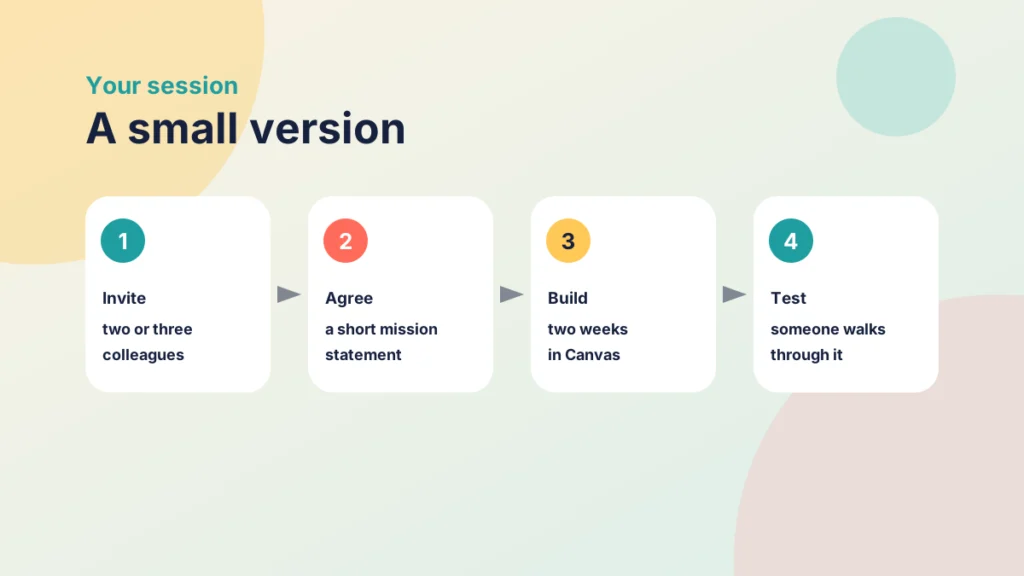
- Keep the team small. Three or four people is enough, and one of them should be someone who has not seen the module before.
- Build as you plan. A prototype in Canvas reveals problems that a document hides.
- Protect the reality check. Leave time for it, and treat feedback as information rather than criticism.
- Finish with a plan. Write down who will do what, and by when, before you leave the room.
Whatever size you choose, keep the order. Teams that jump straight to building skip the mission, and teams that stop at the storyboard never find out whether the plan works with real students. The value is in the sequence, with each step giving the next one something solid to work from.
Salmon’s own materials describe the process in more detail and suggest tools that can support each step, so it is worth reading the original if you want to run it formally. What I have given you here is a practical sketch, and you can scale it up or down to suit your own time and team.
If your module is mainly built from files and emails, this is also a good moment to question that habit. The post on creating engaging and effective learning experiences is a good starting point.
Try it yourself
Explore the six steps
Choose a step to see what the team does, what it produces and a question to ask.
Check your understanding
Knowledge check
What does “Carpe Diem” mean, and why does it suit the process?
It means “seize the day”, and the process aims to produce something usable with learners straight away.
Name the six steps in order.
Blueprint, storyboard, prototype, check reality, review and adjust, then next steps.
What is the output of the blueprint step?
An agreed mission statement setting out what the team wants to achieve.
What is the job of a reality checker?
To try the design as a student would and show where it is unclear, rather than to mark it.
What does MoSCoW help a team decide?
What it must do, should do, could do and will not do this time.
Remember
Key takeaways
- Carpe Diem is a team-based learning design process with six steps.
- The blueprint agrees a mission statement, and the storyboard maps the module visually.
- A prototype in Canvas shows problems that a document hides.
- Reality checkers show you where a student would get stuck.
- An action plan with names and dates keeps the work moving.
Your next step
This week, pick one module you plan to change and run a miniature version of the process. Write a three-sentence mission statement, then ask one colleague to walk through the first week in Student View while you watch. Afterwards, note where they hesitated and fix the first thing you find.
Reflect: who would see your module most clearly as a stranger, and what would you ask them to try?