Build Canvas content you are proud of: faster, cleaner, smarter.
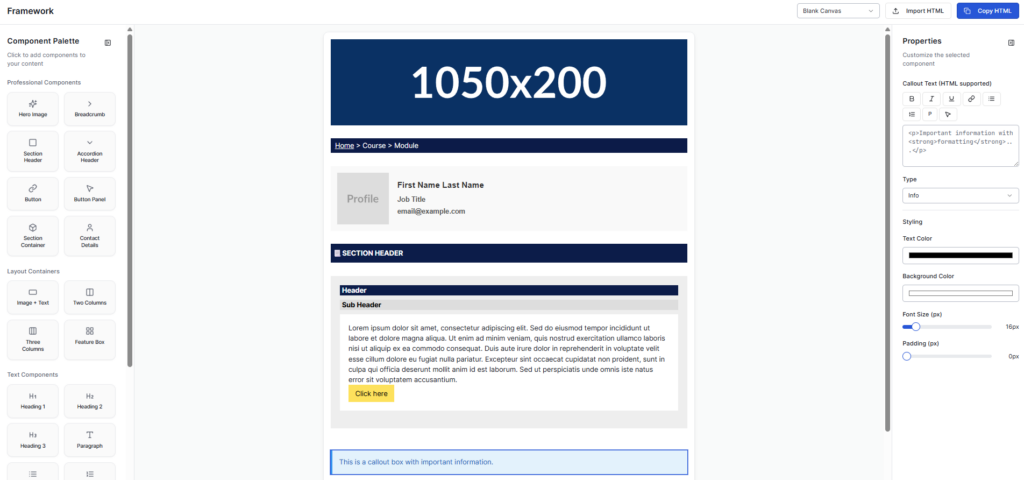
Framework is a creative toolkit for building HTML blocks that look right inside Canvas LMS and other VLEs. Whether you are making a homepage, a discussion or an assessment brief, it keeps your work simple, quick and consistent, with no messy code and no broken layouts.
It exists because course builders have been wrestling with the same problem for years. Pages that behave in the editor and fall apart in the course, and hours lost to inline CSS. If you have seen it in practice, you will recognise the patterns described in Bad Practice in Canvas and How to Fix It.
Learning outcomes
By the end of this post you’ll be able to
Describe what Framework does and who it is for.
Apply Framework to build one consistent, Canvas-safe page.
Evaluate where HTML blocks would improve your own course content.
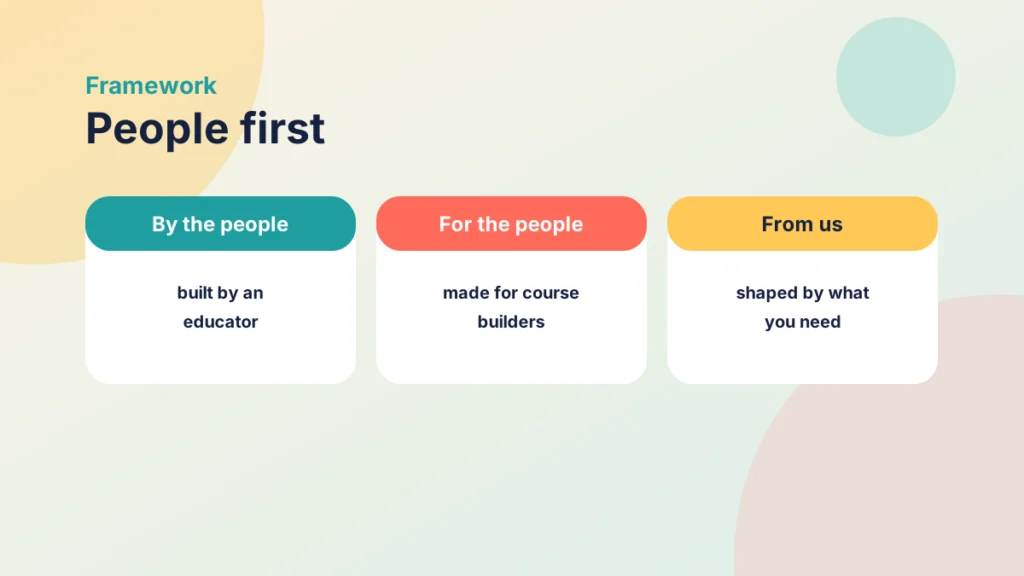
Framework is made by someone who builds Canvas courses, for the people who build them too. It is shaped by the real jobs that come up on the day: a welcome page that needs to look right, a discussion that needs clear instructions, an assessment brief that students must be able to read.
That matters, because a tool made far from the work tends to solve the wrong problem. Framework starts from the page you actually have to produce, and it stays close to the people who use it. Your ideas and your frustrations are what shape the roadmap, and the next update is better because someone said what was missing.
🧩 What It Does
Drag, drop, and tweak: Add headers, accordions, buttons, and images — all Canvas-safe.
Instant preview: See how it looks before copying into Canvas.
Just Copy and Paste: Generates clean, LMS-ready HTML that actually works in the Rich Content Editor.
Nested blocks: Build complex layouts without breaking the structure. With more coming soon.
Customisable components: Match your institutional brand or your own style.
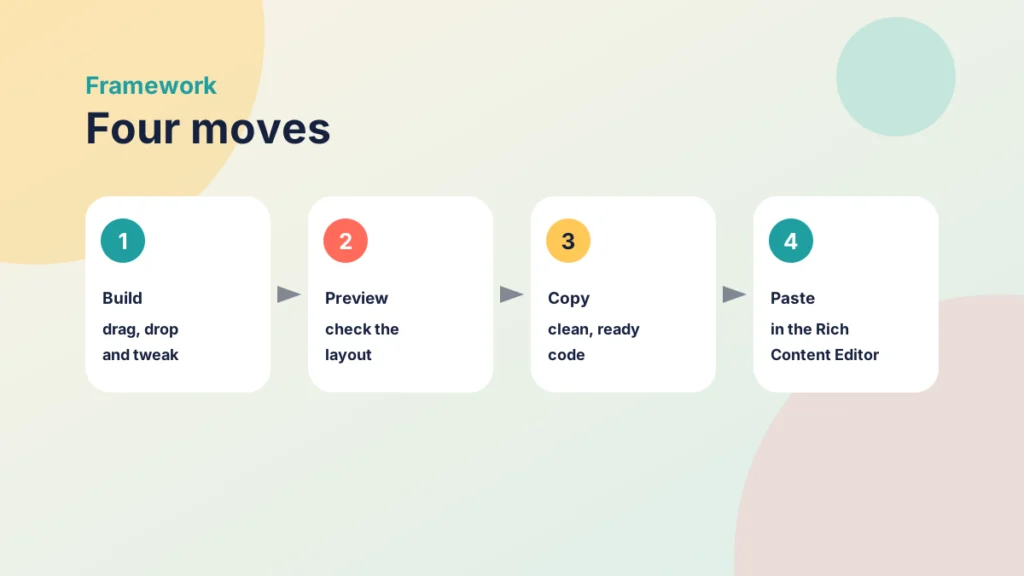
From blank page to Canvas in four moves
The idea is deliberately plain. You build, you check, you copy and you paste, and every step happens in one place.
Build: drag, drop and tweak headers, accordions, buttons and images.
Preview: see how the layout looks before it goes anywhere near your course.
Copy: take the clean HTML that Framework generates.
Paste: add it in the Rich Content Editor, where it keeps its structure.
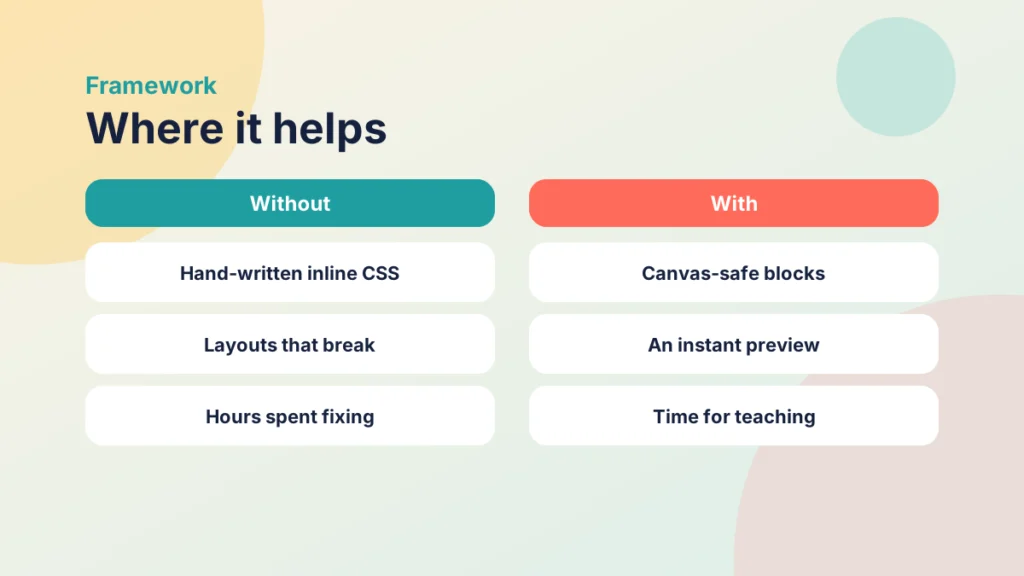
Because the blocks are designed for Canvas, you spend less time fixing them afterwards. If your pages need more thought than markup, Tips and Tricks for Better Canvas Wiki Page Design covers the design choices that make a page easier to read.
💡 Why Use Framework
Because we have all spent way too long trying to make Canvas behave nicely. Framework takes that job off your hands, so you can focus on teaching and stop troubleshooting HTML.
Perfect for:
Learning Technologists
Instructional Designers
Savvy Academics
Educators building consistent course content
Anyone who wants to stop wrestling with inline CSS
Where Framework helps most
The biggest gains come from repetition. Anything you build more than once, such as a weekly overview, an activity brief or a resource list, is worth turning into a block. If you are unsure how to structure the course around them, Driving Canvas: Modules vs Pages explains how modules and pages work together.
Put it into practice
Your turn
Choose one page you rebuild every week. Write down which parts stay the same, then decide which of the header, accordion, button or image blocks would carry them.
Case study
A homepage that finally behaved
Illustrative example
The context
A learning technologist supports staff on a first-year module at a UK university.
The challenge
Each lecturer built their pages by hand, so no two course homepages looked alike, and layouts broke when content was pasted in.
What they did
They built the homepage, a discussion brief and an assessment brief from ready-made blocks, checked each in the preview and pasted the clean HTML into the Rich Content Editor. The same blocks were reused across the module.
What happened
The pages looked consistent from week to week, and the team spent its time on the content rather than on repairing layouts.
What would you do?
Which of your pages would benefit most from a consistent block?
Who else on your team could share the same set of blocks?
☕ A Little Support Goes a Long Way
Framework is kept going by the people who use it. If it saves you hours (it will), 👉 Buy me a coffee to keep the code brewing. Every caffeine boost helps fuel the next update.
🧠 Built by an Educator, for Educators
Framework is part of the Pretty Jaded ecosystem — projects built to empower creative learning design and educational innovation.
“Because good design shouldn’t need to fight bad interfaces.”
Headers, accordions, buttons and images, built to be Canvas-safe.
Where do you paste the HTML that Framework generates?
Into the Rich Content Editor in Canvas, because it is clean code written for that editor.
Why is previewing useful before you copy?
It shows how the layout looks first, so you fix problems before students see them.
Name one task worth turning into a reusable block.
For example a weekly overview or an activity brief, because you build it repeatedly.
Remember
Key takeaways
Framework builds Canvas-safe HTML blocks you can drag, drop and tweak.
You can preview a block before pasting clean code into the Rich Content Editor.
It is built by an educator, for the people who build courses.
Reusable blocks save the most time on pages you build repeatedly.
Supporting the project helps fuel the next update.
Your next step
This week, pick one page in a live course and rebuild it with Framework. Preview it, paste it into the Rich Content Editor and compare it with the old version. Look at how long it took, and whether it behaves the same on a phone.
Reflect: which page in your course do you dread rebuilding, and what would make it easy?
Built by an educator, for educators.From blank page to Canvas.What changes when you use ready-made blocks.
Content without engagement is wasted effort. Here are the Canvas features worth setting up to improve student engagement in online and blended courses.