

New tools arrive in education every year, and it is easy to feel that using one counts as progress. SAMR is a simple way of asking a better question: what has the tool actually changed about the learning? This post explains what SAMR is and shows how to use it in Canvas, with examples from the kind of course you may be building now.
Learning outcomes
By the end of this post you’ll be able to
- Explain the four levels of SAMR and the difference between enhancement and transformation.
- Classify a Canvas activity as substitution, augmentation, modification or redefinition.
- Design one change that moves a task up the SAMR ladder.
What SAMR is
SAMR was developed by Ruben Puentedura as a way of thinking about how technology is used in teaching. The letters stand for four levels: Substitution, Augmentation, Modification and Redefinition. The levels describe what the technology does to a task, not how impressive the technology is.
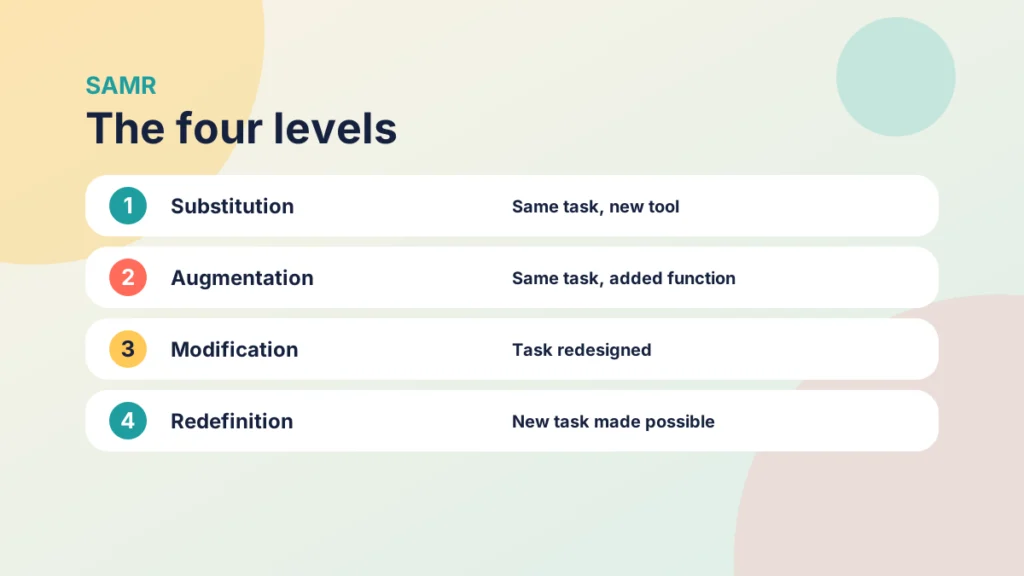
- Substitution: the technology replaces an older tool, with no change to the task.
- Augmentation: the technology replaces an older tool and adds something useful.
- Modification: the task itself is redesigned in a way the technology makes possible.
- Redefinition: the technology allows a task that was not possible before.
The first two levels are often grouped as enhancement, because they improve a task that already exists. The last two are grouped as transformation, because they change what students do. The model is usually drawn as a ladder, but it is better to treat it as a thinking tool than as a league table.
That caution matters. A higher level is not always better. A well-made PDF handout may be exactly what a student needs, and a redefined task that does not serve the learning objective is just a complicated way of wasting time. SAMR tells you what the technology is doing, and your learning objectives tell you whether that is what you need.
SAMR has its critics, and they raise fair points. The ladder image suggests that the upper levels are better, it says nothing directly about whether students learned anything, and the boundaries between levels are blurry. Two colleagues can place the same activity on different rungs and both have a case. Treat it as a prompt for discussion rather than a measurement.
Pair it with a model that describes the thinking you want from students, such as The New Bloom’s Taxonomy: A Practical Guide for New Academics, and with a structure for your course such as the Introduction to the PANDA Framework. The post on creating engaging and effective learning experiences shows how several of these models fit together.
Try it yourself
Explore the SAMR levels
Choose a level to see what it means, a Canvas example and a question to ask.
Substitution and augmentation
Most Canvas courses begin at the first level, and there is nothing wrong with that. Substitution is where you swap a tool without changing the task. A printed handout becomes a PDF in Files. A paper register becomes a spreadsheet. The task stays the same, and the only gain is convenience.
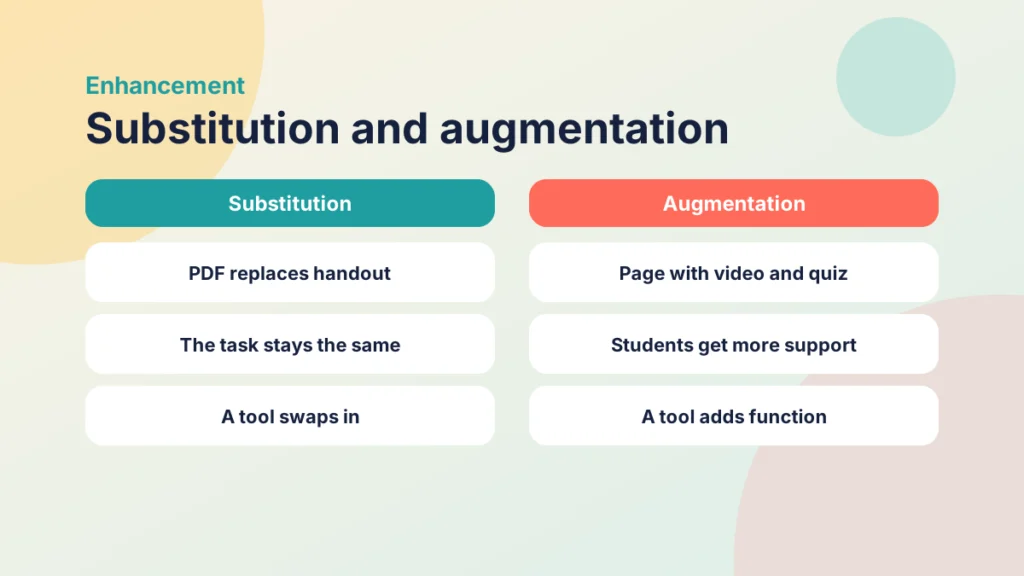
Augmentation adds something useful. The handout becomes a Canvas page with a short video, a glossary of key terms and a practice quiz that gives instant feedback. The task is still the same, which is to learn the material, but students have more support and can check their own understanding. For marking, the paper mark sheet becomes a SpeedGrader view where comments sit next to the work, which {a(“sg”)} describes in detail.
Augmentation often improves access too. A page can be read on a phone, searched, translated by a student’s own tools and used with a screen reader, which a scanned handout often cannot. That benefit is easy to overlook, and it is a good reason to build pages with proper headings and descriptive links.
These two levels are valuable because they save time and reduce friction. They are also the levels where most of us can make quick gains. The risk is stopping there and calling the job done.
Put it into practice
Try it in Canvas
- Select Pages in Course Navigation and choose View All Pages, then + Page.
- Give the page a clear title and add headings so students can scan it.
- Embed a short video or image using the editor, and add alternative text for any image.
- Add a link to a low-stakes quiz or practice activity at the end of the page.
- Select Modules, add the page to the relevant module and publish it.
Put it into practice
Your turn
Choose one handout or resource you currently share as a file. Decide whether turning it into a Canvas page with one extra feature would be substitution or augmentation, and say what the extra feature is.
Modification and redefinition
Modification is the first step into transformation. The task is redesigned, and the redesign depends on the technology. A lecture handout becomes a set of case studies that students discuss and critique online. A final report becomes a first draft that students review for each other before submitting.
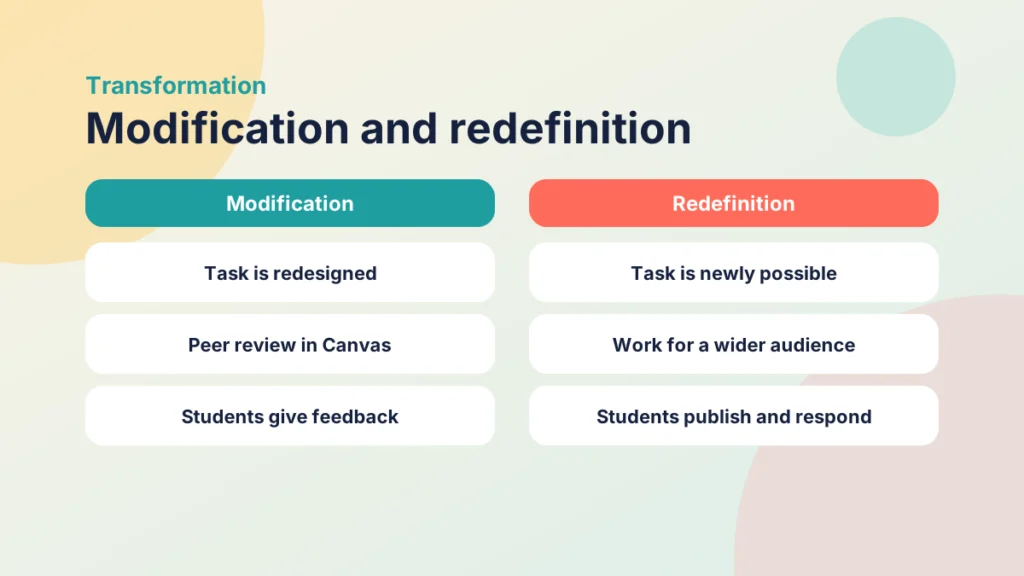
In Canvas, a clear example is peer review. Students submit work, then receive a set of classmates’ submissions to review, ideally with a rubric. The task has changed from handing in work to giving and receiving feedback. That is difficult to do well with paper and email, and it builds evaluative skills that a single teacher’s mark does not.
Redefinition is the rarest level. It means a task that would not have been possible without the technology. Students might create a short explainer for an audience beyond the class, publish it and respond to comments. Or they might work in groups across time zones on a shared project that is assessed on both the product and the collaboration. The learning looks different because the audience and purpose are different.
Group work is another route. Canvas lets you set up student groups with their own discussion space, and a task that asks a group to produce a shared output and then critique another group’s work is a different task from one that asks each student to submit an essay alone. Whether it counts as modification or redefinition depends on how far the technology reshapes the work.
Be realistic about this level. You will not redefine every task, and you should not try to. Pick the tasks where the learning outcome is hard to reach any other way. If a task matches the higher thinking levels in {a(“bloom”,”Bloom’s Taxonomy”)}, such as evaluating and creating, it is a good candidate.
Put it into practice
Your turn
Choose one assessment task in your course. Ask what students would do differently if it were modified rather than substituted. Write one sentence that describes the redesigned task.
Try it yourself
Which SAMR level is it?
Read each example and choose the SAMR level it best fits.
SAMR in practice: files, email and paper
It is much easier to see the levels in a real teaching pattern, so here is a scenario that I recognise from practice. It is a fictitious lecturer, but the habits will be familiar.
Case study
Files, email and marking on paper
From practice
The context
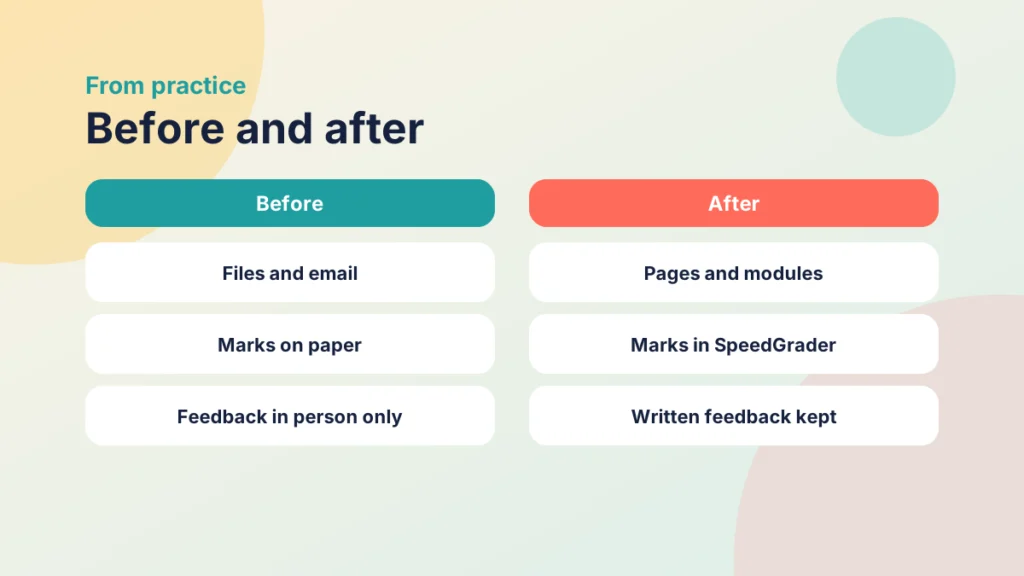
A lecturer teaches a module at a UK university and believes it is quicker, and better, to upload files than to build pages. They also email resources to students, mark work on paper and give feedback only in person.
The challenge
Students were missing resources sent by email, could not find files in an unstructured list and had no written record of their feedback. The lecturer was spending time answering questions about where things were.
What they did
With some persuasion, the lecturer made three changes. Files were moved into modules with short pages explaining each one, emails were replaced with announcements and links in the module, and marking moved into SpeedGrader with written comments and a rubric, with a recorded comment added where a spoken explanation was easier.
What happened
Students could find what they needed in one place and kept their feedback for later. The lecturer spent less time answering questions about where things were, and conversations in person became follow-ups to feedback rather than the only copy of it.
What would you do?
- Which of these habits do you recognise in your own teaching?
- Which one change would give your students the most benefit this term?
Look at what happened in SAMR terms. Moving files into modules and replacing email with announcements is mostly substitution. Pages with headings and links, and comments in SpeedGrader, are augmentation, because they add function. A rubric and recorded feedback add more, and a peer review task would move the course towards modification.
The lecturer in this scenario made real gains without needing a radical redesign. That is worth remembering. Starting with substitution and augmentation is perfectly respectable, as long as you can say what you intend to do next. For more on building the rubric, see 5 Tips for Building Effective Rubrics in Canvas.
If you are unsure how to choose between files, pages and module items, Driving Canvas: Modules vs Pages explains how Canvas treats each of them.
Using SAMR to plan your Canvas course
You can use SAMR as a short audit of your course. Make a list of the main tools and tasks, place each one on the ladder and ask what would improve it. The aim is not to climb every rung. The aim is to be deliberate about where the technology is doing useful work.
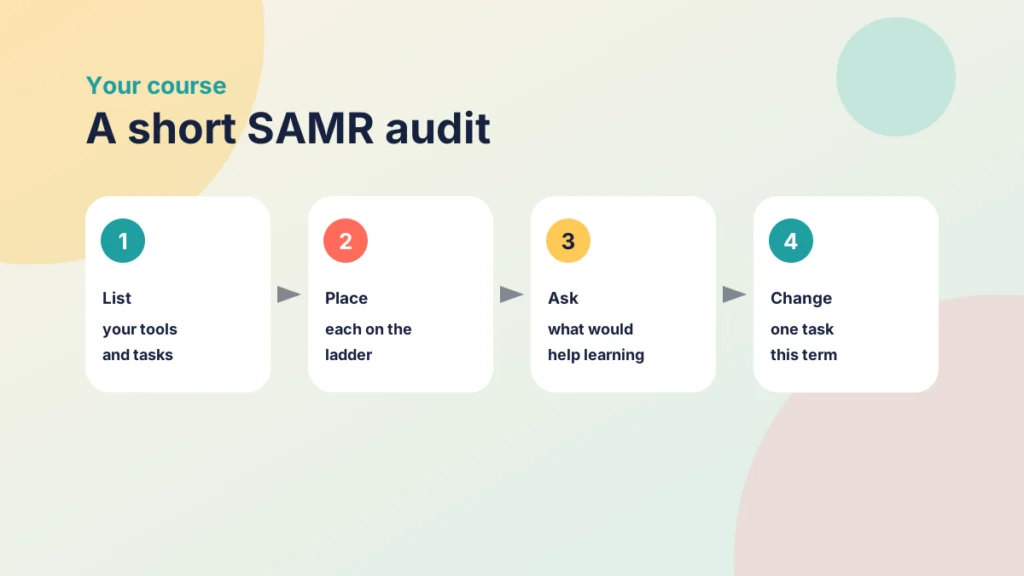
- List: write down the tools you use for content, communication, activities and assessment.
- Place: mark each one as substitution, augmentation, modification or redefinition.
- Ask: for each, decide what would improve the learning, not what would be more advanced.
- Change: choose one task and make one change this term.
Share the result with a colleague who teaches a similar module. Two people placing the same tasks on the ladder will disagree about some of them, and the disagreement is where the useful conversation about purpose begins.
You will probably find that most of your course sits at the first two levels, and that is normal. You may also find one or two tasks where a small modification would give students a lot more. A discussion that becomes a peer review, or a quiz that becomes a student-written question bank, can change how students engage without a big rebuild.
Keep in mind that the model describes technology use rather than teaching quality. A course can be excellent at substitution and poor at modification, or the other way round. Use SAMR to start a conversation with yourself and your colleagues about purpose, and let your learning outcomes make the final call.
Check your understanding
Knowledge check
What do the four letters of SAMR stand for?
Substitution, augmentation, modification and redefinition.
Which two levels are described as enhancement, and which as transformation?
Substitution and augmentation are enhancement. Modification and redefinition are transformation.
Is a higher SAMR level always better?
No. The right level depends on the learning objective, so a simple resource can be exactly what students need.
Give one Canvas example of modification.
For example a peer review with a rubric, because the task changes from handing in work to giving and using feedback.
Why is moving files into modules mostly substitution?
The task stays the same and only the location changes, although clearer structure can add some benefit.
Remember
Key takeaways
- SAMR asks what technology changes about the task, not how impressive it is.
- Substitution and augmentation enhance a task, while modification and redefinition transform it.
- A higher level is not always better.
- Peer review is a practical route to modification in Canvas.
- Use SAMR as a short audit, then change one task at a time.
Your next step
This week, list the tools you use in one course and place each on the SAMR ladder. Choose one task at the first two levels and make a single change that adds function or redesigns it. Afterwards, look at whether students use it differently.
Reflect: which task in your course would students miss least if it disappeared, and what could replace it?