A guest post on the HEPI blog, published on 9 October 2026, argues that every student should receive a minimum AI learning entitlement by the end of their first term. It draws on the HEPI and Kortext Student Generative AI Survey 2026, which, as the post reports it, found that 95% of undergraduates use AI in some way while only 48% feel their teaching staff are helping them build AI skills for their careers.
You may not be able to change institutional policy this term. You can decide what happens in one week of one Canvas course. This post sets out what is realistic in that time: access guidance, one discipline-specific verification task and a low-stakes practice activity. Together they make a modest, practical start on AI literacy for students.
Learning outcomes
By the end of this post you’ll be able to
- Explain the four parts of the proposed entitlement and which three you can offer yourself
- Design a short access guidance page for a Canvas module
- Create a verification task that uses a real AI output from your subject
- Plan a low-stakes practice activity that fits into one Canvas week
What the proposal says, and what it does not prove
In the HEPI post, Roney Lima do Nascimento, an IB Diploma Programme mathematics teacher, describes an entitlement with four parts:
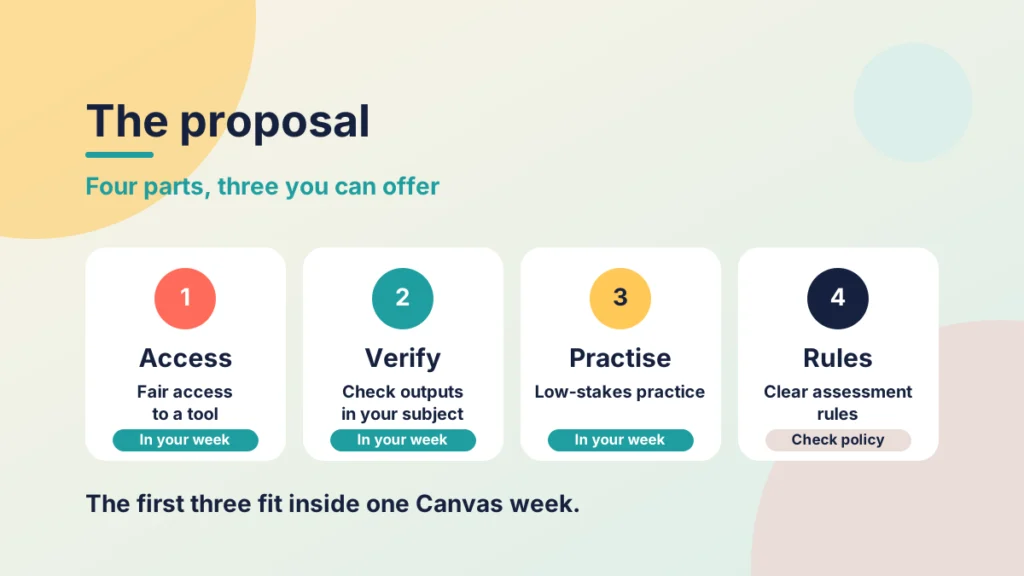
- Equal access to an institutionally supported AI tool, or an equivalent no-cost route.
- Discipline-specific teaching on verifying outputs, disclosure, data protection and the limits of the tool in that field.
- Low-stakes practice before assessments, whether AI is permitted or not.
- Clear, assessment-specific rules, with human review when misuse is suspected.
The proposed test of success is whether students can explain why they accepted, rejected or changed an AI output, rather than whether their work looks polished. That is a useful test for a lecturer, because you can build it straight into a task.
A balanced reading matters here. The post is advocacy, and its figures come from a single survey, with no detail given on sample or method. Two commenters raise fair objections: that an entitlement does not guarantee capability, and that learning the material without AI may be a better way to build the habit of checking. A week of activity will not settle either point. What it can do is give students a first structured chance to practise judgement, and give you evidence of what they can already do.
Part one: access guidance
Students cannot practise judgement with a tool they cannot reach, or are unsure they may use. Unequal access is also the first gap that opens up, so it makes sense to start there.
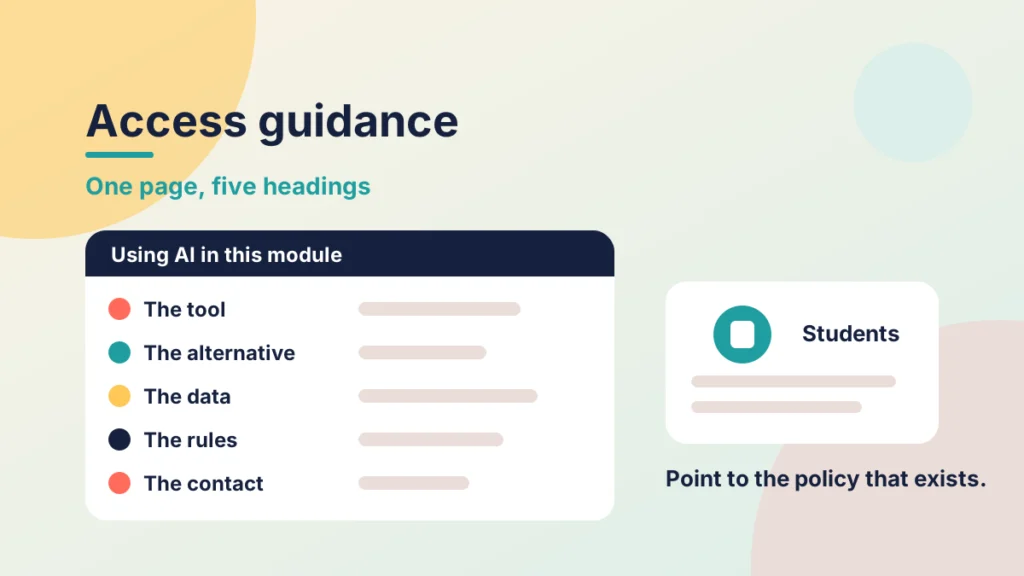
Create a single Canvas page near the top of your module, perhaps titled “Using AI in this module: the basics”. It needs only five short headings:
- The tool: which tool your institution supports and how students get access.
- The alternative: a no-cost route for students who cannot or prefer not to use it, where your institution has approved one.
- The data: what students should never enter, such as personal data or other people’s work.
- The rules: where AI is and is not permitted in each assessment, linked to the assessment briefs.
- The contact: who to ask when something is unclear.
You are not setting policy here. You are pointing students to the guidance that already exists and saying plainly where it is silent. If your institution has no guidance yet, say so, and state what you expect in your own module.
This page belongs in the Prepare stage of PANDA. If the framework is new to you, start with my introduction to the PANDA framework, and see Preparing & Activating for how those early stages work.
Put it into practice
Your turn
Write the five headings above on a sheet of paper. Beside each one, note where your institution’s guidance answers it, and mark any heading where you cannot find an answer. Those gaps are what to raise with your programme team.
Part two: one discipline-specific verification task
Generic AI training is easy to ignore. A task built on your own subject is harder to dismiss, because the errors matter to the student’s own work.
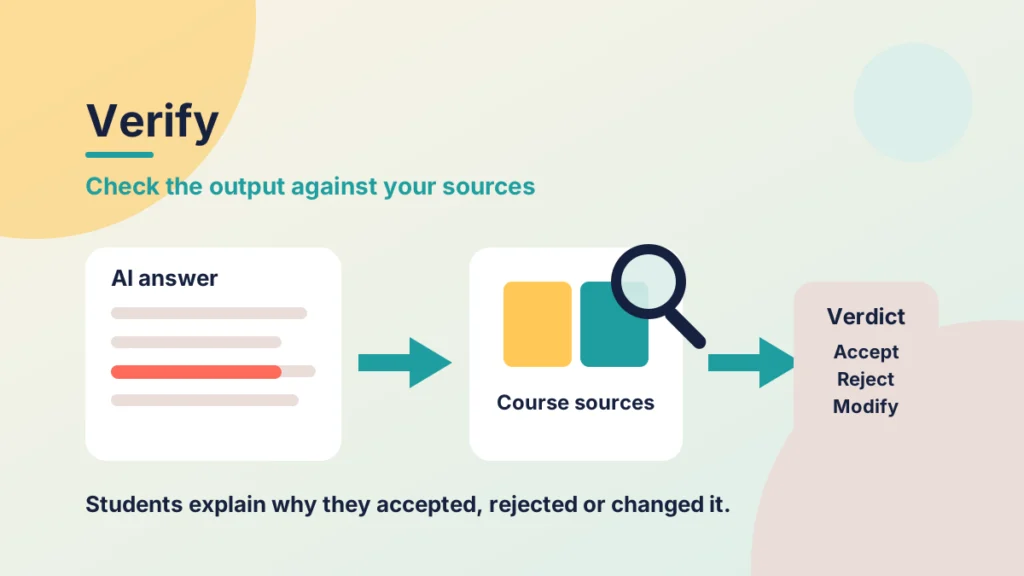
The idea is simple. Put a real question from your discipline to the tool your institution supports. Keep an answer that contains a genuine flaw, and note the flaw yourself before any student sees it. Then ask students to check the answer against your course sources and decide what to do with it.
Here is how that might look in different subjects:
- Engineering: a worked calculation with a sound method but a unit mistake.
- History: a summary that sounds convincing but cites a source that is not on the reading list.
- Business: an explanation of a framework that is accurate but too generic to apply to the case.
In Canvas, set this up as a short discussion or an ungraded assignment. Ask each student to post one verdict, accept, reject or modify, with two sentences of reasoning and one course source. Add a line asking them to say where they used a tool, which gives them early practice at disclosure.
Notice that the task does not ask students to use AI. It asks them to evaluate an output, which holds up whatever your assessment rules say.
Put it into practice
Your turn
Choose one question from your next assessment topic. Run it through the tool your institution supports, and look for an answer with a flaw you can name. Write down the flaw, and the course source that shows it, in one line each.
Accept, reject or modify?
You will see three AI answers from different subjects. For each one, decide what to do with it, then choose the best reason. The reason matters as much as the decision.
Part three: a low-stakes practice activity
Many students meet AI in assessment conditions before they have practised anything. Low-stakes practice gives them a safe place to try, and it works whether AI is permitted in the assessment or not.
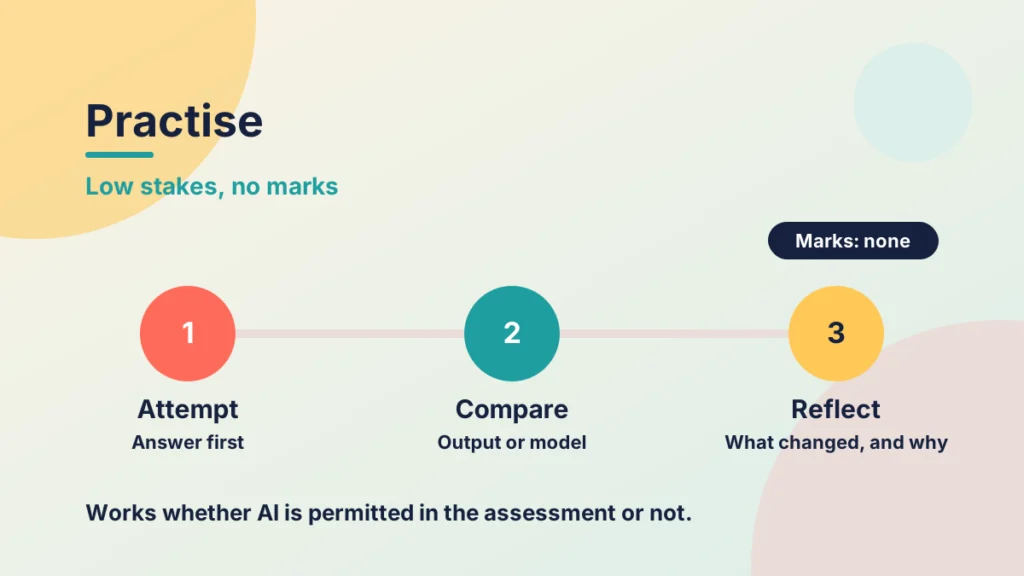
A simple version uses a Canvas practice quiz or an ungraded short task. Students attempt a question first. They then compare their answer with an AI output where AI is permitted, or with a model answer where it is not. Finally they write a short note on what they changed and why.
Three design choices keep it useful:
- No marks. Say plainly that completion is all that counts, so students try things without worrying.
- Quick feedback. Use automatic feedback on each answer, so students learn something while the attempt is fresh.
- A one-sentence disclosure. Ask students to practise stating what they used and how, in the form your assessments will require.
Keep a human in the loop for anything that carries marks. My earlier post on the dangers of using AI for summative assessments explains why this practice stays low-stakes.
Putting the week together
You do not need three new modules. You need three small pieces, spread across one week:
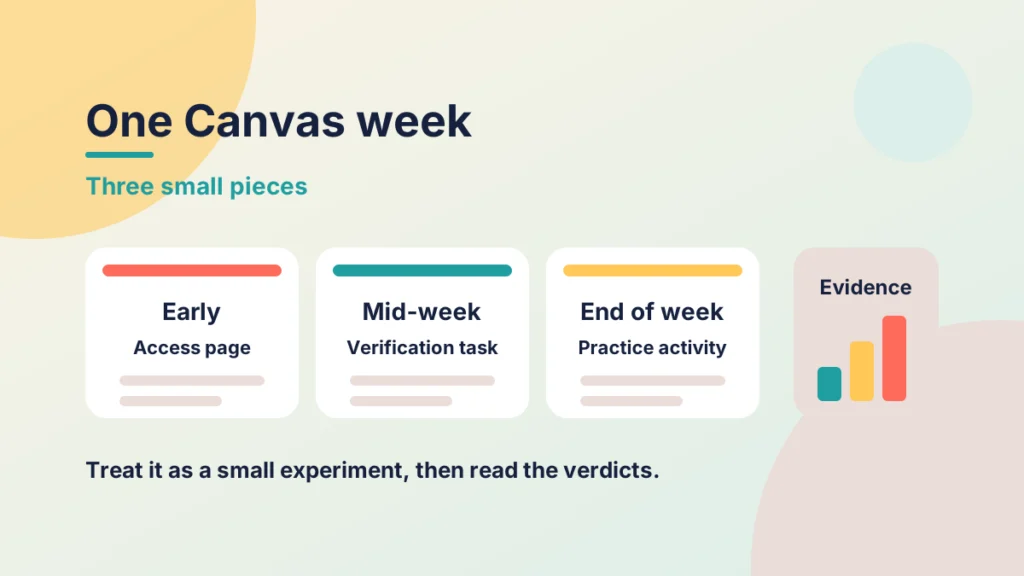
- Early in the week: publish the access page and mention it in an announcement.
- Mid-week: open the verification task.
- End of the week: run the practice activity, then post a short summary of what the group found.
If you are unsure where these pieces sit in your course, my post on choosing a structure for your Canvas week compares three ways of laying them out.
What to look for afterwards
Treat the week as a small experiment, not a guarantee of capability. Read the verdicts and look at the reasons. Which students rejected the flawed answer, and which accepted it? Which questions about access did you receive? Those patterns show where students need more support, and they give you real evidence to bring to any institutional conversation.
Check your understanding
Knowledge check
Name the three parts of the entitlement a lecturer can offer within one Canvas week.
Access guidance, a discipline-specific verification task and a low-stakes practice activity. Together they cover the first three parts of the proposal without needing new policy.
Why does the verification task ask students to evaluate an output rather than use a tool?
Evaluation works whatever your assessment rules say about AI, and it builds the judgement the proposal treats as the test of success.
A student cannot use the supported tool. What should your access page offer?
A no-cost alternative route, where your institution has approved one, so that access does not depend on the student’s circumstances.
Give one reason the practice activity carries no marks.
Removing marks lets students try, make mistakes and compare outputs without fear, which is when they learn most.
Remember
Key takeaways
- You can offer three parts of the proposed entitlement in a single Canvas week.
- The HEPI figures come from one survey, so use them as a prompt, not as proof.
- An entitlement does not guarantee capability, so gather evidence from your own students.
- Ask students to accept, reject or modify an output and to explain why.
- Keep practice low-stakes and keep a human in the loop for marked work.
Your next step
This week, pick one module and draft the five-heading access page, then add one verification task to a single week. Afterwards, read the students’ verdicts and note how many accepted the flawed answer, and what reasons they gave.
Reflect: If a student asked you tomorrow what they are allowed to do with AI in your module, what could you point them to?