Next we focus on the first two elements of PANDA, PREPARE & ACTIVATE. If you missed the first part of this six-part series, read PART 1: The Power of PANDA!
I’ve grown to love how PANDA speeds up developing VLE content in a structured way. Get this next part right and you set the foundation for great active learning and student involvement.
Let’s start with PREPARE, the first element.
What should you add to this element?
As in any lesson, whether in a classroom, a workshop or online, the first thing to do is set the scene and lay the ground rules. In a classroom that might be registers or health and safety. Online is no different. I normally add expectations and outcomes to prepare students for the coming week.
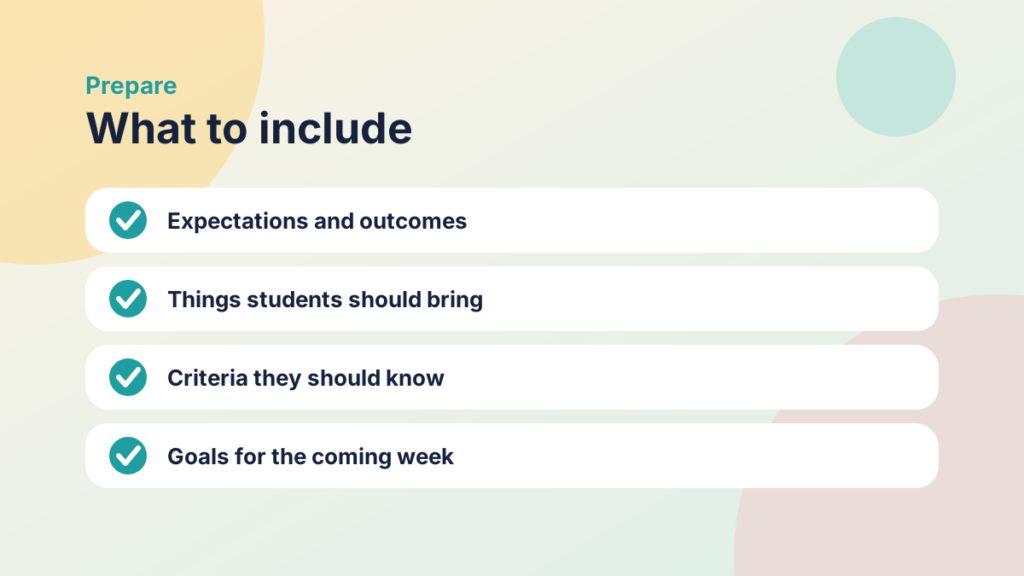
- Are there things they should bring with them?
- Is there any criteria they should know?
If so, add it to this element.
PREPARE them for the coming week!
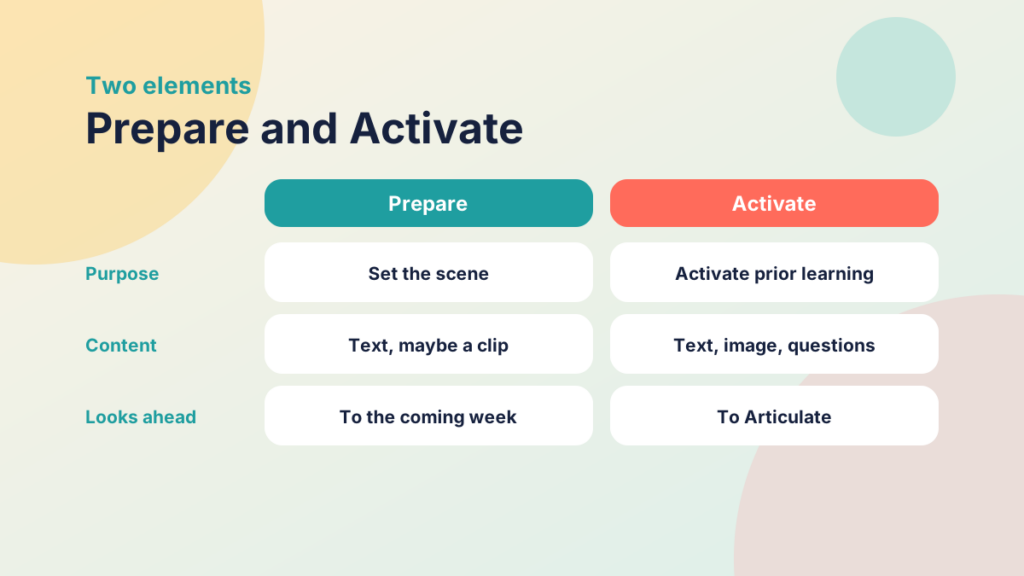
I don’t go crazy in this element. Text will do, but you can add a short video clip or an image if you like. I tend to save those for ACTIVATE, where I feel they work better. Add clear, relevant goals and expectations: this helps frame participation with progression.
ACTIVATE is used to activate prior learning. As in the last element, you could add simple text and an image here and there, but also add questions you want students to think about. This is key, because you can circle back to them in the ARTICULATE element and complete the learning cycle.
Try it yourself
Prepare or Activate?
Decide which PANDA element each task belongs in.
Change the Emphasis from Teacher to Student-Led

One of the most powerful tools in your toolbox is knowing how and when to shift from a teacher-led approach to a student-led one. You can do this easily in an ACTIVATE element in any VLE. The key is to move away from setting the questions yourself towards questions that students ask and set. Then create an activity that encourages participation, such as a discussion.
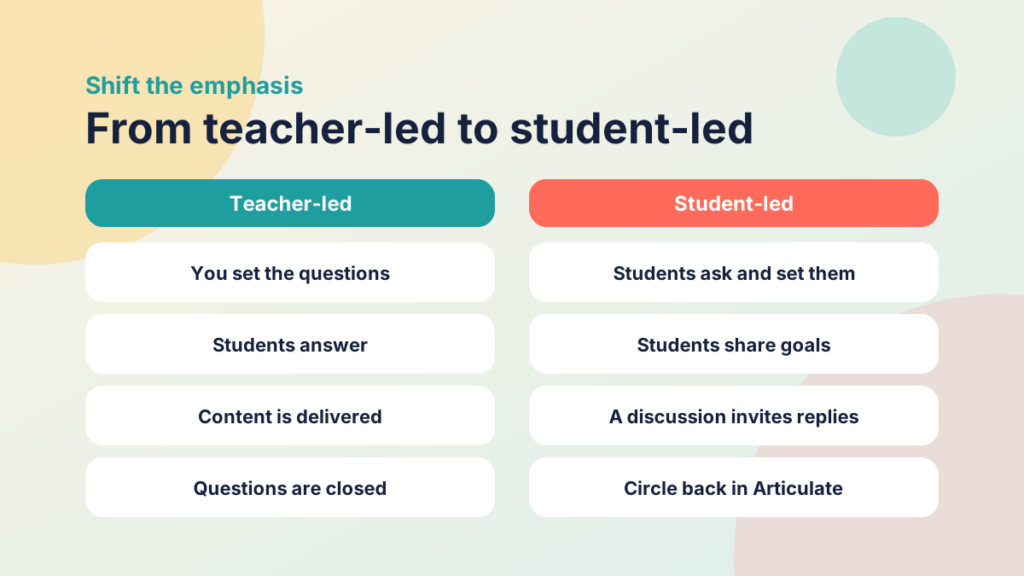
Here’s some text for setting up a student-led discussion. Edit it to suit your needs:
Example student led-discussion activity
We now ask you to create your own goals for the module without too much prompting from us.
Share with your group your own goals:
STEP 1
Compose a discussion post about how [your own text] that you have done in the past?
STEP 2
Reply to your peers.
Discussions in a course like ours are valuable tools for reflection and sharing. We believe that hearing from our classmates adds incredible value to the work we’re all doing. In addition to posting your reflection, please also respond to at least one other post on the board.
- Keep the conversation going. Reply to your classmates. Add to what they have said, and provide evidence to support your response. For example, you can:
- Share a professional experience related to their post
- Provide a link to other sources to help them further their understanding
- Answer a question posed by a classmate and provide supporting evidence
- Be sure to check back. See what your classmates share.
When you use this activity, circle back to it later, for example in the ARTICULATE element.
Try it yourself
Make it student-led
Pick the option that shifts the emphasis from teacher-led to student-led.
Improving Participation
Student-led activities increase the opportunity for participation, which in turn increases motivation. If you can increase participation in a blended approach, you’re well on your way to flipping your sessions, which frees up more time in your workshop or classroom for other activities.
We’ll cover engagement strategies, including the engagement cycle, later in the series.
PREPARE & ACTIVATE are the quickest two elements to set up. Two resources, a page and a discussion for active involvement, get you started.
In the next part we turn to NAVIGATE and the many ways to encourage participation and motivation within it. By now you should be on your way to a much-improved VLE structure where engagement can improve.
Do you already use PANDA or a similar approach?
We’d love for you to share this good practice, so add them to the discussion below to get the conversation started.
Where do I go for support?
Not sure how to set up Google Classroom or Canvas as described above? Contact ilt@ieg.ac.uk to get up to speed over the summer.
More Resources
Visible Learning (Hattie)
https://www.visiblelearning.com/
Visible Learning Matrix
https://www.visiblelearningmetax.com/
A Powerful Model for Understanding Good Tech Integration
https://www.edutopia.org/article/powerful-model-understanding-good-tech-integration