Canvas is a solid, dependable platform, and I have built a great many courses in it. After years of doing so, though, the same frustrations keep returning. They are rarely about bugs. They are about structure, and structure shapes what you can sensibly ask of students.
Page building depends on templates
Canvas has no single framework for page layout. Every page is built in the Rich Content Editor, so the result depends on who built it and how much time they had. Without a shared standard, week three looks nothing like week four.
The usual answer is a rigid HTML template, pasted in to hold the design together. It works, but it is a workaround. Whoever edits the page next has to be careful not to break it. I cover the design side in tips and tricks for better Canvas wiki page design.
The editor itself feels poorly integrated with the wider site build. Some bespoke platforms let you describe what you want by prompt or by voice, and the page takes shape. In Canvas you move between editing modes, and the workflow changes depending on the content type. That inconsistency is what makes the interface feel clunky.
The modules page exposes too much
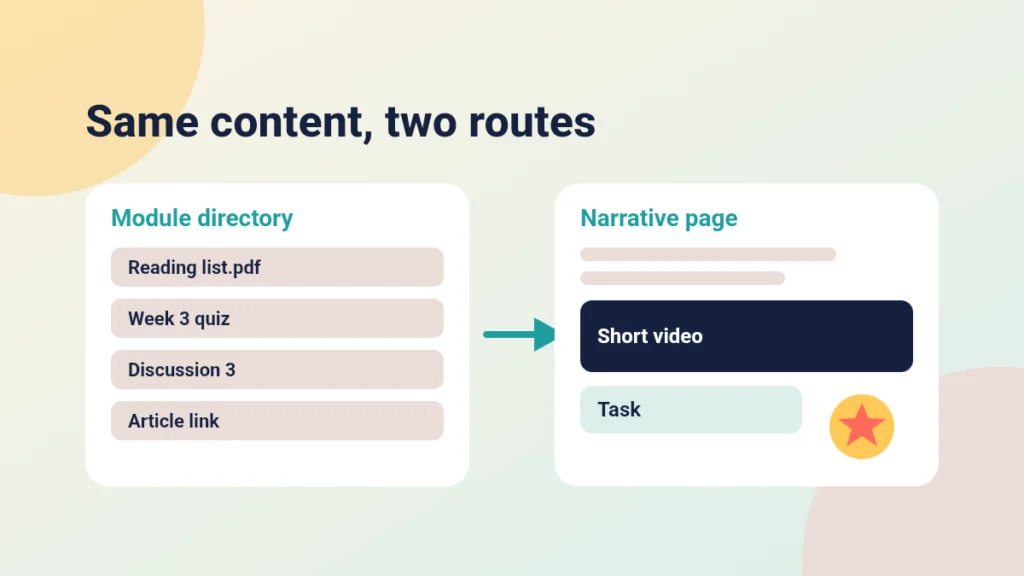
The modules page lists raw file links, URLs and assignments one after another. To a student it reads like a directory, not a story. You can see this in any course where the narrative lives in the lecturer’s head and the modules page is simply a pile of items.
My view is that, for most courses, the modules page should be hidden. Instructional content, assignments and discussions work better embedded in the page where they make sense, so the student meets the task at the moment they need it. I explored this in Driving Canvas: Modules vs Pages, and choosing a structure for your Canvas week shows what a page-led week can look like.
You may still want modules behind the scenes for sequencing. Instructure’s guide to adding a module covers the basics. If students should not see the list, Instructure’s guide to managing Course Navigation links explains how to control what appears in the course menu.
Gamification is an add-on, not a foundation
Native gamification in Canvas is hard to implement. Most of what people want, such as points, visible progress and rewards, needs a third-party plugin. Even then, the rewards sit beside the content rather than inside it. A badge that arrives by email, or on a separate screen, does little to change how a student moves through a course.
You can still do useful things with what Canvas offers. My 5 tips for gamification in Canvas sets out what is realistic without extra tools.
Analytics are fine until you need detail
At a broad level, Canvas analytics are competent. You can see participation and activity across a course. The trouble starts when you want course-specific reporting. It becomes awkward to get at, partly because of how tightly some reports are locked down. Instructure’s guide to viewing Course Analytics as an instructor shows what you can reach as a teacher, and it is worth knowing where those limits sit before you promise anyone a dashboard.
What a gamified VLE could do differently
Imagine a platform built with gamification as a foundational layer. Three ideas stand out.
- Engagement loops. Every interaction earns experience points (XP): reading an article, joining a discussion, starting a course.
- Hidden rewards. Badges and trophies tucked into the content stream encourage exploration and repeat visits.
- One environment. The line between courses and engagement content, such as articles and posts, disappears, so learning feels like one place rather than two.
A caution: this is a design question, not a guarantee. Points only help when they reward activity that supports the learning outcome. Rewarding clicks for their own sake would make for a busier course, not a better one.
Remember
Key takeaways
- Canvas has no uniform page layout framework, so consistency depends on rigid HTML templates.
- The modules page often exposes raw links and breaks the narrative; embed tasks in contextual pages instead.
- Native gamification is limited and usually needs third-party plugins that sit beside the content.
- Broad analytics are fine, but course-specific reporting is awkward to reach.
- A gamified VLE would build XP and hidden rewards into every interaction, and reward learning rather than clicks.
What you can do in Canvas this week
You cannot rebuild the platform, but you can work around its limits.
- Choose one page template and use it for every week of the course.
- Move instructions, tasks and discussions onto the page where they are needed, and keep modules thin.
- Check the result as a student would, using Instructure’s guide to Student View.
- Add one small, purposeful reward for a task that matters, rather than points everywhere.
If you want a starting point, bad practice in Canvas and how to fix it is a good place to begin.
Keep going
WCAG 3 Is Still a Draft: What to Do in Your Canvas Course Now
WCAG 3 is a working draft open for review. This calm explainer covers what that means, what the W3C has and has not said, and an accessibility routine for Canvas that holds up under any standard.
The Engagement Cycle and How to Use It
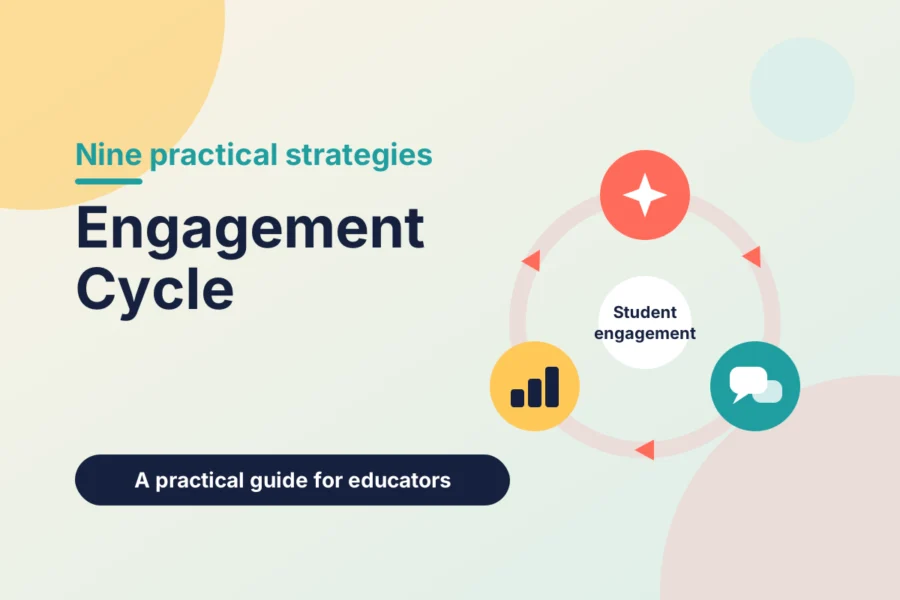
Students rarely disengage in the middle of a task. They drop away in the gaps. The Engagement Cycle gives you three stages and nine strategies to check, with practical Canvas tips for each.

What Is SAMR and How to Use It in Canvas
SAMR is a model for judging what technology really changes in teaching. See the four levels and how to use them to improve a Canvas course.