Creating engaging content in a Virtual Learning Environment (VLE) involves more than uploading PowerPoint slides, lecture recordings and reading lists. Effective online learning requires thoughtful design, clear expectations and opportunities for students to actively engage with their learning.
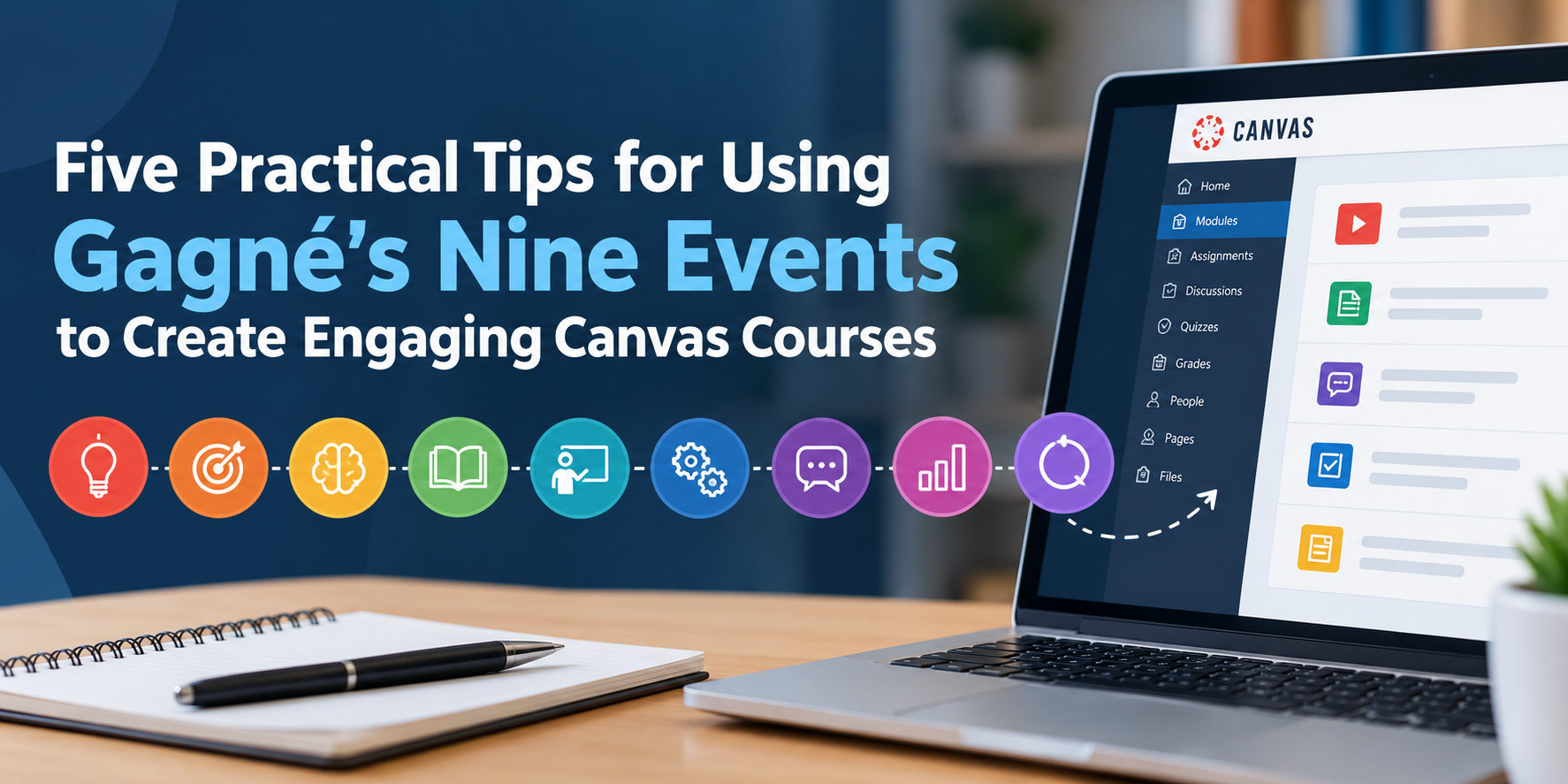
For university lecturers using Canvas LMS, Gagné’s Nine Events of Instruction provides a useful framework for designing structured learning experiences. Developed by educational psychologist Robert Gagné, the model identifies nine instructional events that can support the learning process, from gaining students’ attention through to encouraging the transfer of knowledge into new situations.
However, you do not need to create nine separate activities for every lesson. The real value of Gagné’s model lies in understanding the purpose behind each event and applying it appropriately to your teaching context.
Here are five practical tips for putting the model into action within Canvas.
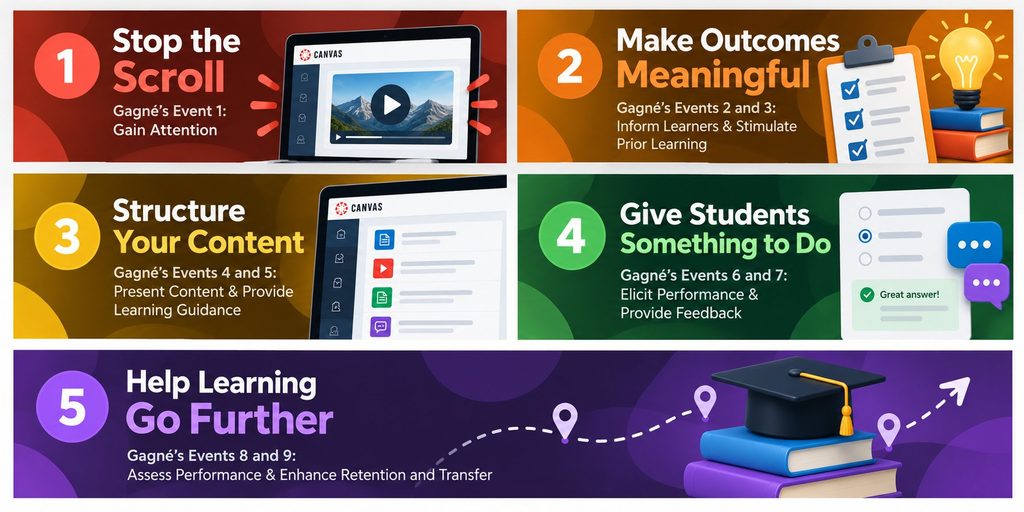
1. Stop the Scroll: Capture Attention Before Delivering Content
Gagné’s Event 1: Gain Attention
Students often enter a Canvas module expecting to find information. Your first challenge is to give them a reason to engage with it.
Rather than beginning with a lengthy introduction or list of readings, consider opening your Canvas page with something that challenges their thinking.
Try This in Canvas
- Introduce a short, provocative question connected to the topic.
- Embed a brief video demonstrating a real-world problem.
- Present an image or scenario and ask students to predict what happens next.
- Use a Canvas discussion to invite an initial response before students explore the learning materials.
For example, a lecturer teaching cybersecurity might begin with a fictional phishing email and ask students to identify warning signs before introducing the relevant concepts.
The objective is not simply to entertain students. It is to direct their attention towards something meaningful that prepares them for learning.
2. Make Learning Outcomes Meaningful to Students
Gagné’s Events 2 and 3: Inform Learners of Objectives and Stimulate Recall of Prior Learning
Learning outcomes are essential, but students may struggle to see their relevance when they appear as a formal list at the beginning of a module.
Instead, connect the outcomes to what students will actually be able to accomplish and what they already understand.
Try This in Canvas
Begin your weekly Canvas page with a short statement explaining what students will learn, why it matters and how it connects to previous teaching.
For example:
By the end of this week, you should be able to evaluate the credibility of online information and explain how misinformation can influence decision-making.
Follow this with a short retrieval activity using Canvas Quizzes, or ask students to revisit an idea from a previous session.
Retrieving relevant prior knowledge can help students connect new information to existing understanding. It also gives lecturers an opportunity to identify misconceptions before introducing more complex material.
Practical tip: Use a consistent weekly page structure so students know where to find learning outcomes, preparation activities and assessment information.
3. Replace Content Dumps with Structured Learning Activities
Gagné’s Events 4 and 5: Present Content and Provide Learning Guidance
One common challenge in VLE design is the temptation to upload everything students might need onto a single page.
Although comprehensive resources can be valuable, large quantities of poorly organised material can make it difficult for students to identify what deserves their attention.
Consider dividing complex topics into manageable sections, each with a clear purpose and an opportunity to process the information.
Try This in Canvas
- Use Canvas Modules to organise learning into a logical sequence.
- Break longer explanations into shorter Canvas Pages with descriptive headings.
- Place short knowledge checks between sections using Canvas Quizzes.
- Include worked examples, demonstrations and explanations that support students before independent practice.
For instance, rather than presenting a 60-minute recorded lecture as the only resource, consider organising the material around three key concepts, supported by relevant video segments and activities.
However, shorter content is not automatically better. The important consideration is whether the structure helps students understand relationships between ideas without introducing unnecessary fragmentation.
Learning guidance should also reduce avoidable confusion. Clear instructions, accessible resources and relevant examples allow students to concentrate on the subject rather than navigating the technology.
4. Give Students Something Meaningful to Do
Gagné’s Events 6 and 7: Elicit Performance and Provide Feedback
Reading a page or watching a video does not necessarily demonstrate understanding. Students need opportunities to apply their knowledge and receive information about their progress.
This is where Canvas can become more than a repository for teaching materials.
Try This in Canvas
- Use Canvas Discussions to encourage students to explain and defend their reasoning.
- Create low-stakes quizzes with explanatory feedback for correct and incorrect answers.
- Ask students to analyse a case study and submit a short response through Canvas Assignments.
- Provide feedback through SpeedGrader or assignment rubrics, focusing on specific improvements.
For example, students studying educational theory could examine a lesson plan and identify which learning principles are demonstrated, rather than simply recalling their definitions.
The quality of the activity matters more than the number of clicks it generates. A meaningful task should require students to think, make decisions or demonstrate understanding.
Feedback should also help students recognise the gap between their current performance and the intended learning outcome. A simple correct-or-incorrect response may be sufficient for basic recall, but more complex tasks benefit from explanations and guidance.
5. Help Students Transfer Learning Beyond the Canvas Page
Gagné’s Events 8 and 9: Assess Performance and Enhance Retention and Transfer
Learning should not end when students complete a quiz or reach the bottom of a Canvas page.
The final events encourage lecturers to check whether students have achieved the intended outcomes and help them apply their knowledge in different contexts.
Try This in Canvas
- Design assessment activities that directly align with the stated learning outcomes.
- Use authentic scenarios requiring students to apply knowledge rather than repeat information.
- Include reflective prompts asking students how their understanding has changed.
- Revisit important concepts in subsequent modules through retrieval and application activities.
For example, students learning about ethical decision-making could analyse a new professional scenario and justify their response using principles explored earlier in the course.
This provides an opportunity to examine whether students can transfer their understanding beyond the original teaching example.
Putting Gagné’s Nine Events into Practice
Gagné’s Nine Events should be treated as a flexible instructional design framework rather than a rigid checklist. Not every learning activity requires all nine events, and different subjects, learners and teaching approaches may call for different combinations.
The framework is particularly useful when reviewing existing Canvas content. Instead of asking whether a page looks engaging, consider whether it captures attention, activates prior knowledge, provides appropriate guidance, creates opportunities for practice and supports meaningful feedback.
It is also important to recognise that Gagné’s model does not automatically guarantee effective learning. Its usefulness depends on the quality of the activities, their alignment with learning outcomes and how appropriately the model is applied.
Start with one Canvas module. Identify where students currently consume information without being asked to do anything with it. Introduce one purposeful activity, connect it to a learning outcome and consider what evidence would demonstrate that the change has improved learning.
Effective VLE design is not about using every Canvas feature. It is about making deliberate instructional choices that help students engage with, understand and apply what they are learning.