First off, what is PANDA and how does it work?
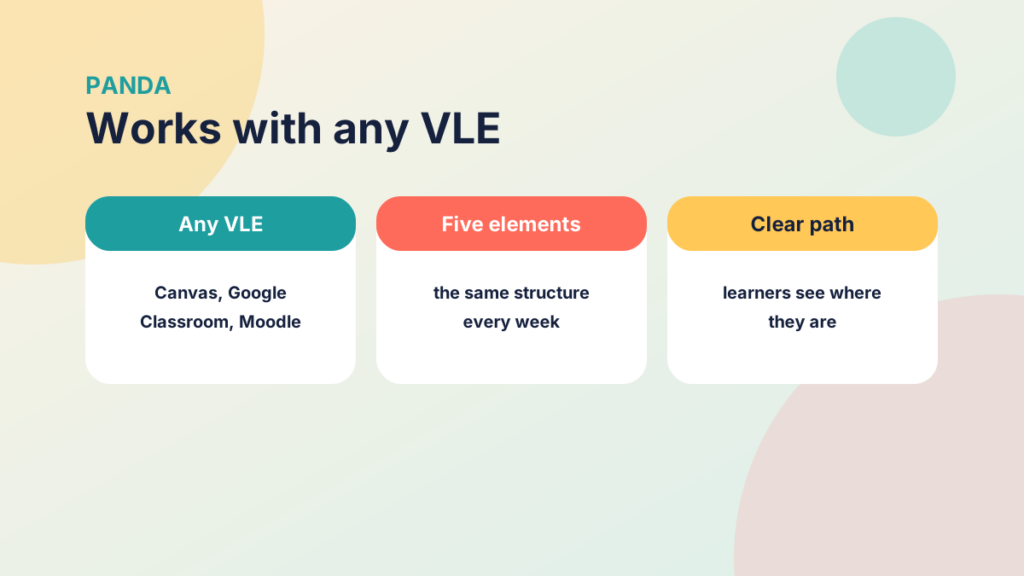
The PANDA methodology breaks your VLE content into elements so learners know where they are in the learning process. It’s particularly useful for blending your online content around classroom delivery. It doesn’t depend on the technology either: if you only know how to set up Google Classroom or Canvas, both can have PANDA structure your content.
PANDA has its roots in SAMR, a technology integration framework that ties closely to Bloom’s Taxonomy. There are resources at the bottom of the page with more detail.

What does PANDA stand for?
PANDA is an acronym for Prepare, Activate, Navigate, Demonstrate and Articulate. In practice you create five elements, then duplicate them each week and change the content to reflect that week’s tasks and activities. Let’s look at each element.
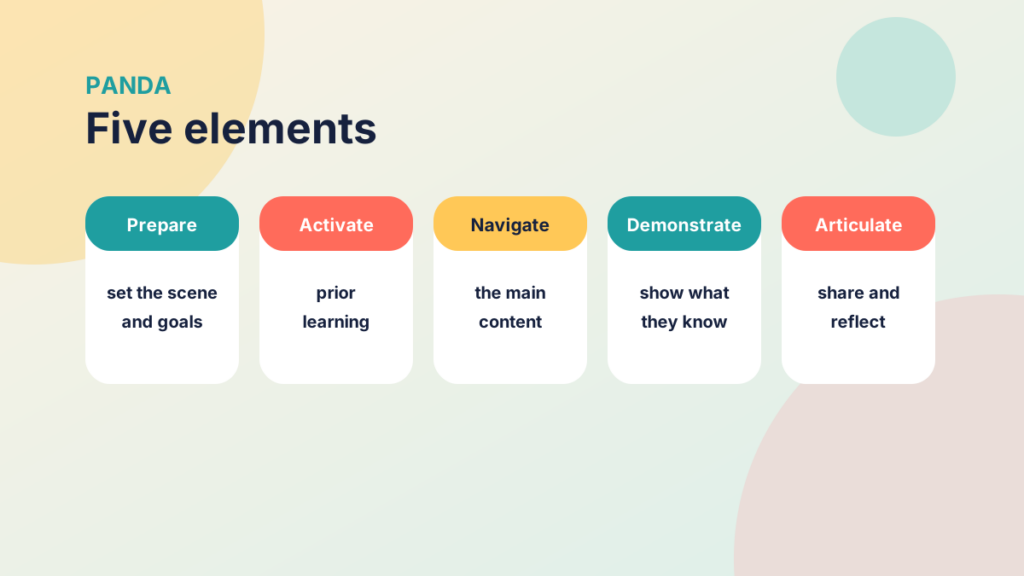
PREPARE: Prepare learners for the coming week or topic. Set the scene and point out what they should be aware of, what to bring, what to expect and what is expected of them. It doesn’t have to be a full-on resource, just something that sets the expectations, objectives or goals.
ACTIVATE: Guide learners with questions. Activating prior learning with video clips works well here, and learners can even set their own goals. Use text to set questions or get them thinking about a resource on a page.
NAVIGATE: This is the element lecturers and tutors normally reach when they add resources to a VLE. It might be your online learning resources, or what you do in your lesson if you’re blending. If your lesson content also contains aims, objectives and a summing up, move those into the other PANDA elements.
DEMONSTRATE: This could be an element you do in the classroom, where a learner demonstrates their learning. Online, create a zero-point formative assignment in Google Classroom or Canvas. Let learners repeat a quiz they can learn from, and let them fail and understand why with meaningful feedback. Remember Hattie? That has a great effect size and is really valuable.
ARTICULATE: This is where learners post their understanding of what they’ve learnt. Peer review and support are cracking tools here, so use online discussions to form collaboration.
This structure isn’t new in teaching. If you’ve taught at any time in the last 20 years, you’ll know it as active learning. Instructure (who built Canvas) uses it in their own courses to great effect.

Try it yourself
Put the five elements in order
Use the arrows to put the PANDA elements in the order learners meet them.
So, what’s next?
Grab a lesson you’ve already created. You may already use a similar structure, but add it all within a single resource such as a Google, Moodle or Canvas page, a website or a PowerPoint presentation.
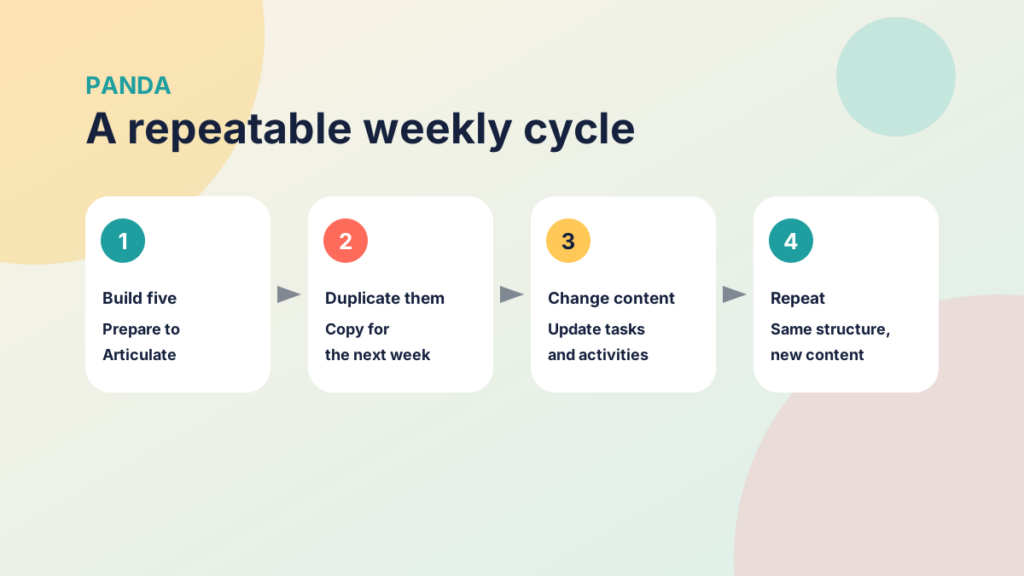

The key to PANDA is to create the week in five steps, though this is only a guide. You might use two pages for PREPARE and ACTIVATE, add video clips of your workshop lesson or digital teaching material to NAVIGATE, add a formative assignment for evidence of learning to DEMONSTRATE, then complete the cycle with a discussion for ARTICULATE, where learners gain peer feedback and support.

Blend your online content around your classroom delivery with this simple approach.
Week after week, you can duplicate this structure. Don’t worry that it’s repetitive: it’s structure, and it builds on the SAMR framework, which we’ll cover in the next part. The content is what differentiates, personalises and engages, so stick with it.
In the next part we’ll look at the foundational framework underpinning PANDA and the first two elements in more detail, before moving on to the elements that can shift a session from teacher-led to student-led.
Try it yourself
Match the element to the activity
Match each PANDA element to an activity that suits it.
Do you already use PANDA or a similar approach?
We’d love for you to share this good practice, so add them to the discussion below to get the conversation started.
Where do I go for support?
Not sure how to set up Google Classroom or Canvas as described above? Contact us to get up to speed over the summer.
More Resources
Visible Learning (Hattie)
https://www.visiblelearning.com/
Visible Learning Matrix
https://www.visiblelearningmetax.com/
A Powerful Model for Understanding Good Tech Integration
https://www.edutopia.org/article/powerful-model-understanding-good-tech-integration
Center for Teaching: Blooms Taxonomy
https://cft.vanderbilt.edu/guides-sub-pages/blooms-taxonomy
Next Up
Part 2: Preparing & Activating coming soon!
#active_learning#blended_learning#canvas#flipped_learning#google_classroom#online_learning#panda#panda_methodology